
Computer Maintenance – Improve Performance and Security
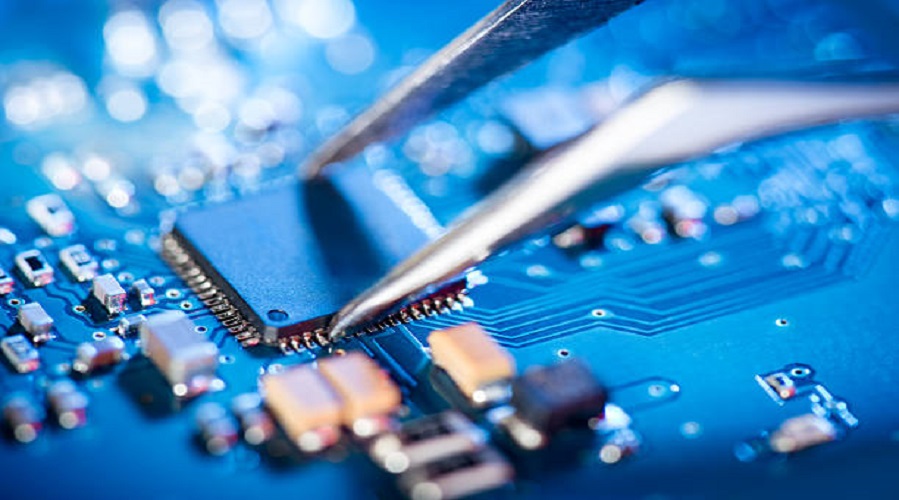
Introduction to Computer Maintenance
In today’s digital age, computers are essential for work, education, business, and personal use. From desktops and laptops to workstations and servers, computers play a vital role in daily life. However, without proper care, computers can become slow, unstable, insecure, or even unusable.
Computer maintenance is the process of regularly checking, cleaning, updating, and optimizing a computer system to ensure it works efficiently, securely, and reliably over time.
Definition:
Computer Maintenance refers to the routine activities performed to keep computer hardware, software, and systems in good working condition and prevent failures.
This article provides a complete and practical guide to computer maintenance, covering hardware, software, security, preventive practices, troubleshooting, and best practices for long-term system health.
Why Computer Maintenance Is Important
Many users ignore maintenance until problems occur. Regular maintenance prevents issues before they become serious.
Benefits of Computer Maintenance
- Improves system performance and speed
- Extends the lifespan of hardware components
- Reduces system crashes and errors
- Enhances data security and privacy
- Prevents costly repairs and replacements
- Ensures smooth software operation
- Improves productivity and user experience
Fact:
A well-maintained computer can last 2–3 years longer than a poorly maintained system.
Types of Computer Maintenance
Computer maintenance can be divided into several categories based on purpose and approach.
1. Preventive Maintenance
Preventive maintenance focuses on preventing problems before they occur.
Examples include:
- Cleaning hardware components
- Installing software updates
- Scanning for malware
- Managing storage space
2. Corrective Maintenance
Corrective maintenance is performed after a problem occurs.
Examples include:
- Fixing software errors
- Replacing faulty hardware
- Removing malware
- Repairing corrupted files
3. Predictive Maintenance
Predictive maintenance involves monitoring system health to predict future issues.
Examples include:
- Monitoring hard drive health
- Checking system logs
- Tracking temperature and performance
Hardware Maintenance
Hardware maintenance ensures the physical components of a computer function properly.
Key Hardware Components to Maintain
- CPU (Processor)
- RAM (Memory)
- Hard Disk / SSD
- Motherboard
- Power Supply
- Cooling System
- Keyboard, mouse, and peripherals
Cleaning Computer Hardware
Dust and dirt are major causes of overheating and hardware failure.
Steps to Clean a Computer Safely
- Turn off and unplug the computer
- Use compressed air to remove dust
- Clean vents and fans regularly
- Wipe external surfaces with a microfiber cloth
- Avoid using liquids inside components
Tips:
Clean your computer every 3–6 months to prevent overheating.
Cooling and Temperature Control
Overheating reduces performance and damages components.
Ways to Maintain Proper Cooling
- Keep ventilation paths clear
- Replace old thermal paste
- Use quality cooling fans
- Avoid placing laptops on soft surfaces
- Monitor system temperature
Storage Device Maintenance
Storage devices store operating systems, applications, and data.
Hard Disk Drive (HDD) Maintenance
- Run disk cleanup regularly
- Defragment HDDs periodically
- Check disk errors
Solid State Drive (SSD) Maintenance
- Avoid unnecessary defragmentation
- Enable TRIM support
- Keep sufficient free space
Software Maintenance
Software maintenance keeps the operating system and applications running smoothly.
Operating System Maintenance
- Install OS updates regularly
- Remove unused applications
- Clean temporary files
- Optimize startup programs
Point:
Outdated software is a common cause of security vulnerabilities.
Application Maintenance
Applications require updates and optimization.
Best Practices
- Keep applications updated
- Uninstall unused programs
- Avoid installing pirated software
- Monitor background processes
Driver Maintenance
Drivers enable communication between hardware and software.
Why Driver Updates Matter
- Improve hardware compatibility
- Fix bugs and errors
- Enhance performance
- Improve security
Security Maintenance
Security maintenance protects computers from cyber threats.
Common Security Threats
- Viruses
- Malware
- Ransomware
- Phishing attacks
- Spyware
Antivirus and Malware Protection
Best Practices for Security Maintenance
- Install a trusted antivirus program
- Keep virus definitions updated
- Run regular scans
- Avoid suspicious downloads
- Use firewalls
Advice:
Never rely on antivirus software alone; user awareness is equally important.
Data Backup and Maintenance
Data is one of the most valuable assets on a computer.
Importance of Data Backup
- Protects against data loss
- Helps recover from system failure
- Safeguards personal and business data
Backup Methods
- External hard drives
- Cloud storage
- Network backups
Disk Cleanup and Optimization
Over time, computers accumulate unnecessary files.
Disk Cleanup Tasks
- Delete temporary files
- Clear cache files
- Remove old system logs
- Empty recycle bin
Startup and Performance Optimization
Too many startup programs slow down computers.
Steps to Improve Startup Performance
- Disable unnecessary startup apps
- Remove unused services
- Optimize system settings
- Upgrade RAM if required
Network and Internet Maintenance
Internet performance affects productivity.
Network Maintenance Tips
- Update network drivers
- Secure Wi-Fi with strong passwords
- Restart routers periodically
- Monitor network usage
Laptop Maintenance
Laptops require special care due to portability.
Laptop Maintenance Tips
- Handle with care
- Avoid overheating
- Use original chargers
- Maintain battery health
- Store properly when not in use
Battery Maintenance
Battery health is critical for laptops.
Ways to Extend Battery Life
- Avoid overcharging
- Do not drain the battery completely
- Reduce screen brightness
- Use power-saving modes
Preventive Maintenance Schedule
Recommended Maintenance Frequency
- Daily – Check for unusual behavior
- Weekly – Scan for malware
- Monthly – Clean temporary files
- Quarterly – Hardware cleaning
- Yearly – Full system check
Troubleshooting Common Computer Problems
Slow Performance
- Check startup programs
- Scan for malware
- Upgrade hardware if needed
System Crashes
- Update drivers
- Check system logs
- Repair corrupted files
Overheating
- Clean cooling system
- Replace fans if necessary
Computer Maintenance for Businesses
Businesses depend heavily on computers.
Business Maintenance Requirements
- Regular backups
- Security compliance
- System monitoring
- IT support
Computer Maintenance for Home Users
Home users also benefit from proper maintenance.
Home Maintenance Tips
- Use licensed software
- Back up important data
- Avoid suspicious websites
Tools for Computer Maintenance
Common Maintenance Tools
- Disk cleanup tools
- Antivirus software
- System monitoring tools
- Backup utilities
Best Practices for Computer Maintenance
Recommended Best Practices
- Follow a maintenance schedule
- Keep systems updated
- Use strong passwords
- Avoid unknown software
- Educate users
Common Mistakes to Avoid
- Ignoring updates
- Using pirated software
- Skipping backups
- Overloading storage
- Poor ventilation
Future of Computer Maintenance
Emerging Trends
- AI-based system monitoring
- Automated maintenance tools
- Cloud-based management
- Predictive hardware failure detection
Frequently Asked Questions (FAQ)
What is computer maintenance?
Computer maintenance is the process of keeping computer hardware and software in good working condition through regular checks and updates.
How often should computer maintenance be done?
Basic maintenance should be done monthly, while deeper maintenance should be done quarterly or annually.
Why is computer maintenance important?
It improves performance, enhances security, and extends the lifespan of the computer.
What happens if a computer is not maintained?
Lack of maintenance can lead to slow performance, crashes, security risks, and hardware failure.
Is antivirus software enough for computer security?
No, antivirus is important, but it must be combined with updates, safe browsing, and backups.
Can computer maintenance improve speed?
Yes, cleaning files, optimizing startup, and updating software can significantly improve speed.
Is hardware cleaning really necessary?
Yes, dust buildup causes overheating and hardware damage.
Do laptops need different maintenance than desktops?
Yes, laptops require extra care for battery, heat, and portability.
What is preventive maintenance?
Preventive maintenance focuses on preventing problems before they occur.
Can computer maintenance be automated?
Many tasks, like updates, scans, and backups, can be automated.
Conclusion
Computer maintenance is essential for performance, security, and longevity. Whether you are a student, professional, business owner, or home user, maintaining your computer ensures smooth operation and protects valuable data.
By following preventive maintenance practices, keeping software updated, securing systems, and monitoring hardware health, users can avoid costly repairs and system failures.
A well-maintained computer is not just faster—it is safer, more reliable, and more productive.
Leave a Comment
Your email address will not be published. Required fields are marked *
Related Post
Git & GitHub Version Control Tutorial for Beginners
Learn Git & GitHub Version Control with this complete beginner-to-advanced guide. Understand Git commands, repositories, branching, merging,
CI/CD Pipelines Complete Guide – Continuous Integration
Learn everything about CI/CD Pipelines in this complete guide. Understand Continuous Integration, Continuous Deployment.
DevOps: Ultimate Guide to DevOps Practices, Tools
Explore the complete DevOps guide for 2026. Learn DevOps practices, tools, benefits, CI/CD pipelines, automation, culture, and more.
What is Cloud Platforms? Types, Benefits
Learn everything about Cloud Platforms. Understand cloud computing platforms, types, benefits, services, use cases, security, and future trends.
Encryption: Types, Algorithms, Security and Data Encryption
Learn everything about Encryption in this complete guide. Understand what encryption is, types of encryption, algorithms, advantages, data security.
Ethical Hacking: Complete Guide, Tools, Techniques
Learn Ethical Hacking in this complete guide. Understand ethical hackers, types, tools, techniques, and cybersecurity best practices.
Network Security and Firewalls – Types, Architecture
Learn Network Security & Firewalls in detail. This complete guide covers concepts, types of firewalls, architecture, security threats, and more.
Network Routing and Switching – Types, Protocols & Working
Learn everything about Network Routing and Switching. Understand concepts, types, protocols, devices, differences, advantages, and more.
IP Addressing - IPv4, IPv6, Working, Types, Structure, Security
Internet Protocol (IP) is the foundation of the internet. Learn everything about IP, including IPv4, IPv6, IP addressing, packet delivery, and more.
Transmission Control Protocol (TCP) - Working, Features, Use
Learn everything about Transmission Control Protocol (TCP) in this complete SEO-friendly guide. Understand TCP definition, and more.