
Computer Hardware vs Software

Computer Hardware vs Software
Computers have become an essential part of our lives. From smartphones to laptops, banking systems to online shopping, everything works through a combination of hardware and software. Many beginners get confused between these two terms. Although hardware and software work together, they are completely different in function, structure, and purpose.
What is Computer Hardware
Computer hardware refers to the physical components of a computer system that you can touch and see. These parts form the structure of the computer and allow it to perform input, processing, output, and storage operations.
Examples of computer hardware include the keyboard, mouse, monitor, CPU, RAM, motherboard, hard drive, SSD, graphics card, printers, and many others.
Hardware is responsible for executing operations according to the instructions provided by the software.
Basic characteristics of hardware
- It is a physical component
- It can be touched and seen
- It is built from electronic circuits and mechanical parts
- It cannot work without software
- It may wear out or get damaged over time
- It can be replaced or upgraded
Types of Computer Hardware
Computer hardware is generally divided into the following categories.
1. Input Devices
These are devices used to enter data into the computer.
- Examples
- Keyboard
- Mouse
- Scanner
- Webcam
- Microphone
- Barcode reader
2. Output Devices
These devices display or produce the results.
- Examples
- Monitor
- Printer
- Speakers
- Projector
3. Processing Devices
These components process, compute, and execute instructions.
- Examples
- CPU
- GPU
- Motherboard
- Chipset
4. Storage Devices
These devices store data permanently or temporarily.
- Examples
- Hard Disk
- SSD
- Pen Drive
- Memory Card
- Optical Disk
5. Memory Devices
Used for temporary and immediate data operations.
Examples
- RAM
- ROM
- Cache memory
- Registers
6. Internal Components
These are core electronic parts inside the CPU cabinet.
Examples
- Power supply
- Cooling system
- Heat sink
- Expansion cards
- Network cards
Hardware provides the platform on which software can run.
What is Computer Software
Computer software is a set of instructions, programs, or data that tells the hardware what to do. Unlike hardware, software is not physical and cannot be touched.
Software controls, manages, and coordinates the activities of the computer system.
In simple terms
Hardware is the body
Software is the brain that gives instructions
Software runs inside the hardware and performs tasks such as browsing the internet, editing documents, playing videos, designing graphics, managing the operating system, and much more.
Basic characteristics of software
- It is not a physical component
- It cannot be touched or seen
- It is stored digitally inside hardware
- It can be modified, updated, or deleted
- It does not wear out
- It needs hardware to run
Types of Software
Software is divided into major categories.
1. System Software
These programs manage the hardware and run the core functions of the computer.
Examples:
- Operating systems like Windows, Linux, macOS
- Drivers
- Firmware
- BIOS
- Utility tools
System software acts as a bridge between the user and hardware.
2. Application Software
These are programs that help users perform specific tasks.
Examples
- MS Word
- Browser apps
- Video players
- Photo editors
- Games
- Mobile apps
3. Programming Software
These tools help developers create new software and applications.
Examples:
- Editors
- Compilers
- Interpreters
- Debuggers
- Programming IDEs
4. Utility Software
Tools that help maintain and optimize the computer.
Examples:
- Antivirus
- Disk cleanup
- File manager
- Backup tools
Software provides the intelligence and instructions required for hardware to function.
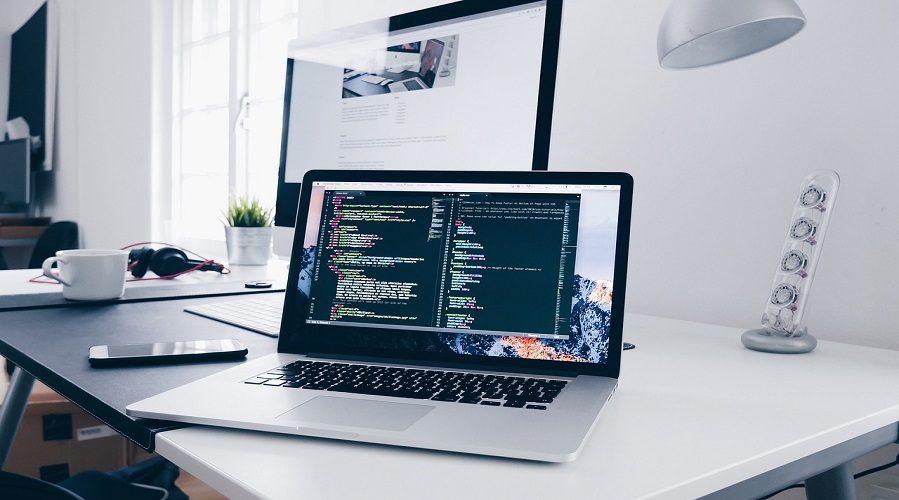
Hardware vs Software: A Deep Comparison
Although hardware and software depend on each other, they are fundamentally different. Below is a detailed comparison.
| Feature | Hardware | Software |
|---|---|---|
| Definition | Physical components | Programs and instructions |
| Nature | Tangible | Intangible |
| Creation | Built using electronic circuits | Written using programming languages |
| Damage | Can wear out or break | Cannot physically break but can get corrupted |
| Upgrades | Costly and requires replacement | Easy and inexpensive updates |
| Function | Performs operations | Controls and manages hardware |
| Dependency | Needs software to work | Needs hardware to run |
How Hardware and Software Work Together
For a computer to function properly, hardware and software must work in coordination.
Example process:
- A user presses a key on the keyboard
- The keyboard (hardware) sends a signal to the RAM and CPU
- The operating system (software) interprets the command
- Application software displays the typed character
- Monitor (hardware) shows it to the user
The entire digital world runs on the harmony of these two components.
Examples of Hardware and Their Software Partners
Keyboard → Keyboard driver
Printer → Printer driver
Graphics card → Graphics driver
Monitor → Display software
CPU → Operating system
Touch screen → Touch interface software
Speakers → Audio driver
Without compatible software, hardware cannot function.
Importance of Hardware
Hardware is the foundation of every computing device. Its importance includes.
- Running programs and applications
- Processing data and instructions
- Providing input and output
- Storing information
- Supporting system performance
- Ensuring reliability and speed
Importance of Software
Software is equally essential because
- It provides functionality
- It allows user interaction
- It manages memory and processes
- It makes hardware usable
- It runs applications
- It enables customization and automation
Examples of Daily Hardware and Software Usage
Smartphone
Hardware includes screen, processor, camera, battery
Software includes Android or iOS
Laptop
Hardware includes keyboard, touchpad, SSD
Software includes Windows, MS Office, and Chrome browser
ATMs
Hardware includes a card reader, a cash dispenser
Software includes banking applications
Every day digital tasks exist because hardware and software operate together.
Characteristics of Hardware
- Made of circuits and mechanical parts
- Heavy and not easily portable (in case of desktops)
- Consumes electrical power
- Depends on software
- Requires physical upgrades
- Has a limited lifespan
Characteristics of Software
- Written in code
- Highly flexible
- Does not degrade physically
- Easy to install and modify
- Can be copied and shared
- Runs only when hardware is available
Major Differences Explained in Detail
Physical vs Logical
Hardware is a tangible part. Software is logical and digital.
Durability
Hardware can get damaged. Software can be restored.
Speed
Hardware performance affects system speed. Software efficiency affects productivity.
Cost
Hardware is more expensive than software.
Real Life Applications of Hardware and Software
Education
Smart classrooms use projectors, computers, and educational software.
Banking
ATMs operate through secure hardware and software systems.
Healthcare
MRI machines, medical monitors, and hospital software.
Entertainment
Gaming PCs, consoles, streaming apps, and video players.
Business
Servers, networks, productivity software, and databases.
Modern Trends in Hardware and Software
Hardware Trends
- Solid State Drives
- Multi-core processors
- Graphics accelerators
- Touch screen devices
- Wearable devices
- Cloud servers
Software Trends
- Artificial intelligence tools
- Cloud-based applications
- Mobile operating systems
- Web-based platforms
- VR and AR technologies
Advantages of Hardware
- High performance
- Faster processing
- Supports multitasking
- Reliable for long-term use
- Can be upgraded
Advantages of Software
- Easy to use
- Flexible and customizable
- Low maintenance
- Affordable updates
- Makes hardware functional
Limitations of Hardware
- Costly
- Can overheat
- Limited lifespan
- Physical damage risk
Limitations of Software
- Can contain bugs
- Requires updates
- Can be hacked
- Needs compatible hardware
What is the main difference between hardware and software?
Hardware is a physical component, while software is a digital program that runs on hardware.
Can hardware work without software?
No. Hardware needs software instructions.
Can software run without hardware?
No. Software requires hardware to operate.
Which is more important, hardware or software
Both are equally important and depend on each other.
What are some examples of hardware?
Keyboard, mouse, CPU, RAM, monitor, SSD.
What are examples of software?
Windows, MS Word, Chrome browser, mobile apps.
Is an operating system hardware or software?
The operating system is software.
Is RAM hardware or software?
RAM is hardware.
Conclusion
Both hardware and software are essential parts of a computer system. Hardware provides the physical structure and power, while software provides instructions and intelligence. A computer cannot function without either of them. Understanding their differences, characteristics, and applications helps users select better devices, troubleshoot problems, and improve system performance.
Leave a Comment
Your email address will not be published. Required fields are marked *
Related Post
Git & GitHub Version Control Tutorial for Beginners
Learn Git & GitHub Version Control with this complete beginner-to-advanced guide. Understand Git commands, repositories, branching, merging,
CI/CD Pipelines Complete Guide – Continuous Integration
Learn everything about CI/CD Pipelines in this complete guide. Understand Continuous Integration, Continuous Deployment.
DevOps: Ultimate Guide to DevOps Practices, Tools
Explore the complete DevOps guide for 2026. Learn DevOps practices, tools, benefits, CI/CD pipelines, automation, culture, and more.
What is Cloud Platforms? Types, Benefits
Learn everything about Cloud Platforms. Understand cloud computing platforms, types, benefits, services, use cases, security, and future trends.
Encryption: Types, Algorithms, Security and Data Encryption
Learn everything about Encryption in this complete guide. Understand what encryption is, types of encryption, algorithms, advantages, data security.
Ethical Hacking: Complete Guide, Tools, Techniques
Learn Ethical Hacking in this complete guide. Understand ethical hackers, types, tools, techniques, and cybersecurity best practices.
Network Security and Firewalls – Types, Architecture
Learn Network Security & Firewalls in detail. This complete guide covers concepts, types of firewalls, architecture, security threats, and more.
Network Routing and Switching – Types, Protocols & Working
Learn everything about Network Routing and Switching. Understand concepts, types, protocols, devices, differences, advantages, and more.
IP Addressing - IPv4, IPv6, Working, Types, Structure, Security
Internet Protocol (IP) is the foundation of the internet. Learn everything about IP, including IPv4, IPv6, IP addressing, packet delivery, and more.
Transmission Control Protocol (TCP) - Working, Features, Use
Learn everything about Transmission Control Protocol (TCP) in this complete SEO-friendly guide. Understand TCP definition, and more.