
Central Processing Unit (CPU): Definition
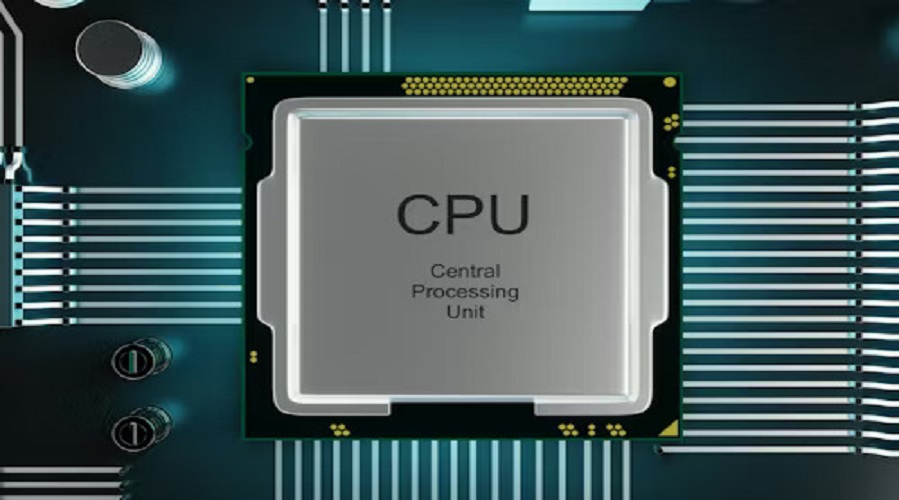
Central Processing Unit (CPU):
The Central Processing Unit (CPU) is the heart and brain of every computer system. From mobile phones to laptops, servers, smart TVs, and gaming consoles — every digital device uses a CPU to process instructions and run operations. Without a CPU, no program, operating system, or command can run.
This complete CPU guide will help you understand how a CPU works, its main components, types, architecture, importance, and real-life applications.
What is a CPU?
A CPU (Central Processing Unit) is an electronic component that executes instructions, performs calculations, and controls the operations of a computer system. It processes the data received from input devices, runs programs, and communicates with memory and output devices.
In simple words:
The CPU is the main processor that performs all the thinking work inside a computer.
Why is the CPU Called the Brain of the Computer?
Just like the human brain controls the body, the CPU controls all computer activities:
- It makes decisions
- Performs calculations
- Processes information
- Controls the working of other parts
Hence, the CPU is rightly called the brain of the computer.
Main Components of CPU
A CPU has three major components:
1. ALU (Arithmetic Logic Unit)
ALU performs:
- Mathematical operations (add, subtract, multiply, divide)
- Logical operations (AND, OR, NOT)
- Comparison operations (greater, equal, lesser)
2. CU (Control Unit)
The Control Unit directs the system by:
- Fetching instructions
- Decoding instructions
- Sending control signals
- Managing data flow between memory and hardware
3. Registers
Registers are small, high-speed memory locations inside the CPU used to store immediate data.
Common registers:
- MAR (Memory Address Register)
- MDR (Memory Data Register)
- Accumulator
- Program Counter (PC)
- Instruction Register (IR)
Registers increase CPU speed significantly.
How Does a CPU Work? (Step-by-Step Cycle)
CPU works in a Fetch → Decode → Execute cycle:
1. Fetch
The CPU fetches the instruction from RAM.
2. Decode
The Control Unit interprets the instruction.
3. Execute
ALU performs the required operation, and the result is stored in registers or memory.
This cycle happens billions of times per second.
Types of CPU
Below are the most commonly used types:
1. Single-Core CPU
- Processes one task at a time
- Suitable for basic operations
2. Dual-Core CPU
- Contains two processing cores
- Can handle multitasking better
3. Quad-Core CPU
- Four cores
- Ideal for gaming and professional software
4. Hexa-Core and Octa-Core CPUs
- Six and eight cores
- High performance
- Faster multitasking
5. Mobile CPUs
- Used in smartphones (Qualcomm Snapdragon, Apple A-series, MediaTek)
- Focused on battery efficiency
6. Server & Workstation CPUs
- Intel Xeon, AMD EPYC
- High performance for enterprise workloads
CPU Architecture Types
1. CISC (Complex Instruction Set Computing)
- Large set of instructions
- Commonly used in Intel & AMD CPUs
2. RISC (Reduced Instruction Set Computing)
- Simple, fast instructions
- Used in ARM processors (mobile CPUs)
3. ARM Architecture
- Power-efficient
- Used in smartphones, tablets, IoT
CPU Clock Speed (GHz)
CPU speed is measured in GHz (Gigahertz).
Higher GHz = Faster processing.
Example:
3.0 GHz CPU can execute 3 billion cycles per second.
What is CPU Cache?
CPU cache is a high-speed memory inside the processor.
Cache Levels:
- L1 Cache (Fastest, Smallest)
- L2 Cache (Medium size & speed)
- L3 Cache (Largest, Slower)
Cache reduces the time taken to access data and improves performance.
Cores vs Threads
Cores
- Physical units inside the CPU
Threads
- Virtual units created by each core
- Allow parallel processing
Example: a 4-core CPU with Hyper-Threading may have 8 threads.
Factors Affecting CPU Performance
- Clock speed
- Number of cores
- Number of threads
- Cache memory size
- Architecture (RISC/CISC)
- Power efficiency
- Cooling system
- Overclocking capacity
- Integrated GPU
- Motherboard compatibility
Heat Management in CPU (Cooling Systems)
To prevent overheating:
- Heat sinks
- Cooling fans
- Thermal paste
- Liquid cooling
- Airflow optimization
Proper cooling increases CPU lifespan.
CPU vs GPU: What’s the Difference?
| CPU | GPU |
|---|---|
| General-purpose processor | Graphics processing |
| Good for multitasking | Good for parallel tasks |
| Few cores | Thousands of smaller cores |
| Used for OS, software, applications | Used for gaming, AI, 3D rendering |
Applications of CPU
- Operating system control
- Gaming & graphics
- Data processing
- Video editing
- Artificial Intelligence
- Internet browsing
- Office tasks
- Scientific computing
- Mobile apps
Advantages of CPU
- High performance
- Accurate processing
- Reliable for multitasking
- Efficient control over devices
Limitations of CPU
- Cannot perform heavy parallel processing like a GPU
- Generates heat
- Requires high-quality cooling
- Limited by motherboard compatibility
1. What is a CPU in simple words?
A CPU is the brain of the computer that processes data and runs programs.
2. What are the main parts of a CPU?
ALU, Control Unit, and Registers.
3. How many cores are enough for gaming?
A quad-core or hexa-core CPU is ideal for modern gaming.
4. Which CPU is best for laptops?
Intel Core i5/i7 or AMD Ryzen 5/7 series are best for performance and battery.
5. What is the difference between CPU and Processor?
Both are the same; the CPU is the processor of the system.
6. Can a computer work without a CPU?
No, the computer cannot execute any instruction without a CPU.
7. Which CPU is best for programming?
Ryzen 7, Intel i7, or higher multi-core processors are ideal.
Related Topics to Add in Your Blog
- What is RAM and How It Works
- Difference Between SSD and HDD
- What is a Motherboard
- GPU (Graphics Card) Explained
- Types of Computer Hardware
- Input & Output Devices
- Evolution of Microprocessors
- Semiconductor Technology
- Moore’s Law Explained
- CPU Benchmarks and Testing Tools
Conclusion
The CPU is the most essential component of any computer system. Understanding how a CPU works helps you choose the right processor for your needs — whether you are a student, gamer, programmer, or tech enthusiast. From cores and threads to cache memory and architecture, every feature plays an important role in determining CPU performance.
Leave a Comment
Your email address will not be published. Required fields are marked *
Related Post
Git & GitHub Version Control Tutorial for Beginners
Learn Git & GitHub Version Control with this complete beginner-to-advanced guide. Understand Git commands, repositories, branching, merging,
CI/CD Pipelines Complete Guide – Continuous Integration
Learn everything about CI/CD Pipelines in this complete guide. Understand Continuous Integration, Continuous Deployment.
DevOps: Ultimate Guide to DevOps Practices, Tools
Explore the complete DevOps guide for 2026. Learn DevOps practices, tools, benefits, CI/CD pipelines, automation, culture, and more.
What is Cloud Platforms? Types, Benefits
Learn everything about Cloud Platforms. Understand cloud computing platforms, types, benefits, services, use cases, security, and future trends.
Encryption: Types, Algorithms, Security and Data Encryption
Learn everything about Encryption in this complete guide. Understand what encryption is, types of encryption, algorithms, advantages, data security.
Ethical Hacking: Complete Guide, Tools, Techniques
Learn Ethical Hacking in this complete guide. Understand ethical hackers, types, tools, techniques, and cybersecurity best practices.
Network Security and Firewalls – Types, Architecture
Learn Network Security & Firewalls in detail. This complete guide covers concepts, types of firewalls, architecture, security threats, and more.
Network Routing and Switching – Types, Protocols & Working
Learn everything about Network Routing and Switching. Understand concepts, types, protocols, devices, differences, advantages, and more.
IP Addressing - IPv4, IPv6, Working, Types, Structure, Security
Internet Protocol (IP) is the foundation of the internet. Learn everything about IP, including IPv4, IPv6, IP addressing, packet delivery, and more.
Transmission Control Protocol (TCP) - Working, Features, Use
Learn everything about Transmission Control Protocol (TCP) in this complete SEO-friendly guide. Understand TCP definition, and more.