
Output Devices of Computer – Types, Functions, Examples
Storage Devices: Introduction
Storage devices are hardware components used to store digital data permanently or temporarily. They help computers save files, programs, applications, and operating systems. Without storage devices, a computer cannot function properly because it would not store any information.
What is a Storage Device? (Definition)
A storage device is a component that stores data, information, or instructions for long-term or short-term use.
Example: Hard Disk, SSD, Pen Drive, Memory Card, CD/DVD, RAM, Cloud Storage.
Storage devices are essential for:
- Saving documents
- Storing photos, videos, and software
- Backing up data
- Running applications & operating systems
Types of Storage Devices
Storage devices are mainly classified into two categories:
1. Primary Storage (Main Memory)
These are fast, temporary memory devices directly connected to the processor.
Examples:
- RAM (Random Access Memory)
- Cache Memory
- Registers
Features:
- Faster than secondary storage
- Stores data temporarily
- Volatile memory (data lost when power is off)
2. Secondary Storage (External or Permanent Storage)
These devices store data permanently even when the power is off.
Examples:
- Hard Disk Drive (HDD)
- Solid State Drive (SSD)
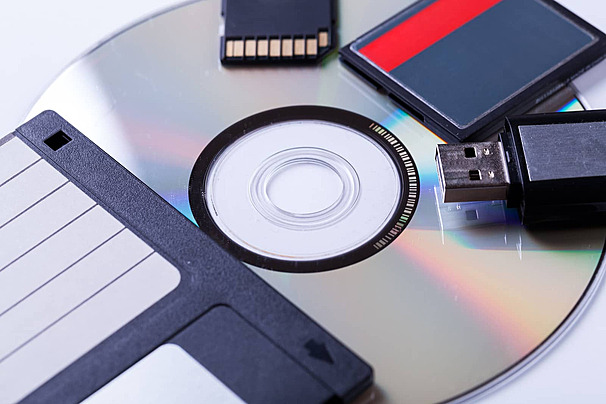
- Pen Drive
- Memory Card
- CD/DVD
- Blu-ray Disc
- External Hard Drive
- Cloud Storage
Features:
- Large storage capacity
- Non-volatile (data stays safe)
- Slower than primary storage
Common Storage Devices & Their Details
1. Hard Disk Drive (HDD)
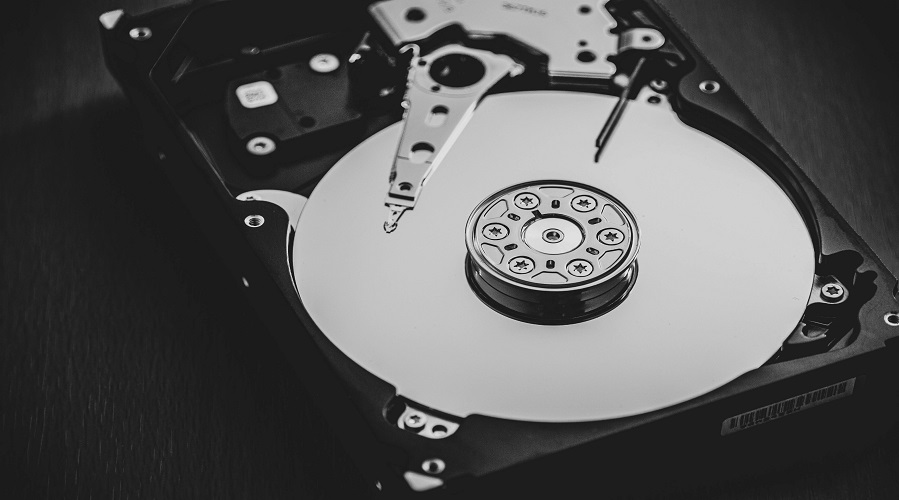
HDD is a traditional storage device that uses magnetic disks to store data.
Features:
- Storage: 250GB to 10TB
- Slower compared to SSD
- Affordable
- Long lifespan
2. Solid State Drive (SSD)
SSD uses flash memory and provides ultra-fast read/write speed.
Features:
- Faster than HDD
- No moving parts
- Lightweight
- Better performance
- Expensive
3. Pen Drive (USB Flash Drive)
A portable device used for transferring and storing data.
Features:
- Compact and lightweight
- Plug & play
- 4GB to 1TB storage
4. Memory Card (SD Card)
Used in smartphones, cameras, CCTV, etc.
Types:
- SD Card
- microSD Card
- CF Card (Compact Flash)
5. CD/DVD (Optical Storage)
Used for storing songs, movies, software, and backup data.
Capacity:
- CD: 700MB
- DVD: 4.7GB–8.5GB
- Blu-ray: 25GB–128GB
6. External Hard Drive
A portable HDD or SSD is used for backup.
Use Cases:
Backup important files
Transfer large data
Extra storage for laptop/PC
7. Cloud Storage
Online storage that allows users to save data on cloud servers.
Examples:
- Google Drive
- OneDrive
- Dropbox
iCloud
Benefits:
Accessible anywhere
Automatic backup
Large storage options
Comparison: HDD vs SSD vs Pen Drive vs Memory Card
| Feature | HDD | SSD | Pen Drive | Memory Card |
|---|---|---|---|---|
| Speed | Slow | Very Fast | Medium | Medium |
| Cost | Low | High | Low | Low |
| Storage | Very High | High | Medium | Medium |
| Durability | Moderate | High | High | High |
| Portability | Medium | Medium | High | High |
Functions of Storage Devices
Storage devices help in:
- Saving data permanently
- Running OS and software
- Booting the system
- Backup and recovery
- Easy file transfer
- Safe data storage for future use
Advanced Types of Storage (Latest Technology)
1. NVMe Storage
- Faster than SSD
- Uses PCIe interface
- Used in gaming laptops & servers
2. Hybrid Drives (SSHD)
- Combination of HDD + SSD
- Faster performance with more storage
3. Network Attached Storage (NAS)
- Storage device connected to a network
- Used by businesses and developers
Advantages of Storage Devices
- Easy data management
- Fast data access
- Large storage capacity
- Secure data backup
- Portable options available
Disadvantages
- Can be expensive (SSD)
- Can fail due to physical damage
- External devices may be lost or stolen
Storage Devices
Q1. What is a storage device?
A hardware device that stores data permanently or temporarily.
Q2. What are examples of storage devices?
Hard Disk, SSD, Pen Drive, Memory Card, CD/DVD, Cloud Storage, RAM.
Q3. Which is faster: HDD or SSD?
SSD is much faster than HDD.
Q4. What is the full form of SSD?
Solid State Drive
Q5. What is the difference between RAM and ROM?
- RAM: Temporary memory, data erased when powered off.
- ROM: Permanent memory, data cannot be modified easily.
Q6. Which storage is best for laptops?
SSD or NVMe for speed and performance.
Q7. What is cloud storage?
Online data storage using internet-based servers.
Q8. Which device is used for mobile storage?
Memory Card (microSD Card).
Conclusion
Storage devices play a vital role in the functioning of computers, laptops, mobile phones, and all digital gadgets. From SSDs to cloud storage, every device helps store and protect data efficiently. Understanding these devices helps you choose the best storage solutions for your daily needs.
Leave a Comment
Your email address will not be published. Required fields are marked *
Related Post
Git & GitHub Version Control Tutorial for Beginners
Learn Git & GitHub Version Control with this complete beginner-to-advanced guide. Understand Git commands, repositories, branching, merging,
CI/CD Pipelines Complete Guide – Continuous Integration
Learn everything about CI/CD Pipelines in this complete guide. Understand Continuous Integration, Continuous Deployment.
DevOps: Ultimate Guide to DevOps Practices, Tools
Explore the complete DevOps guide for 2026. Learn DevOps practices, tools, benefits, CI/CD pipelines, automation, culture, and more.
What is Cloud Platforms? Types, Benefits
Learn everything about Cloud Platforms. Understand cloud computing platforms, types, benefits, services, use cases, security, and future trends.
Encryption: Types, Algorithms, Security and Data Encryption
Learn everything about Encryption in this complete guide. Understand what encryption is, types of encryption, algorithms, advantages, data security.
Ethical Hacking: Complete Guide, Tools, Techniques
Learn Ethical Hacking in this complete guide. Understand ethical hackers, types, tools, techniques, and cybersecurity best practices.
Network Security and Firewalls – Types, Architecture
Learn Network Security & Firewalls in detail. This complete guide covers concepts, types of firewalls, architecture, security threats, and more.
Network Routing and Switching – Types, Protocols & Working
Learn everything about Network Routing and Switching. Understand concepts, types, protocols, devices, differences, advantages, and more.
IP Addressing - IPv4, IPv6, Working, Types, Structure, Security
Internet Protocol (IP) is the foundation of the internet. Learn everything about IP, including IPv4, IPv6, IP addressing, packet delivery, and more.
Transmission Control Protocol (TCP) - Working, Features, Use
Learn everything about Transmission Control Protocol (TCP) in this complete SEO-friendly guide. Understand TCP definition, and more.