
Microsoft Copilot Explained
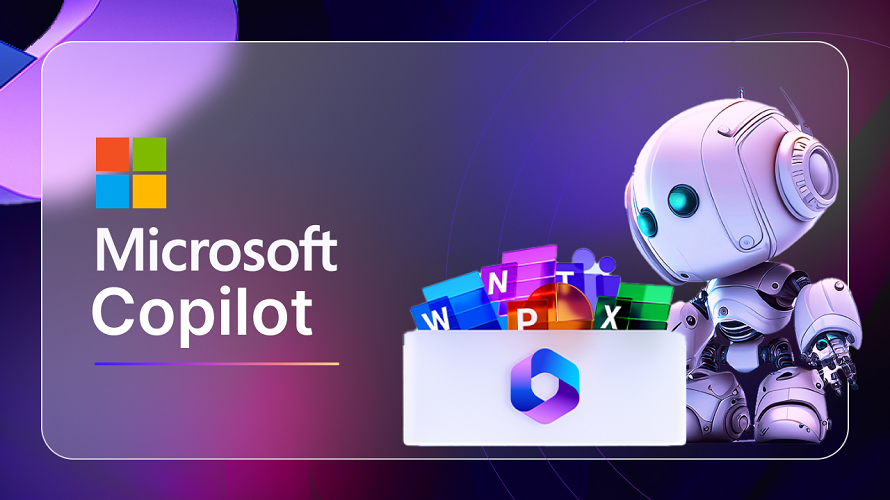
Artificial Intelligence has transformed the way humans interact with technology, and Microsoft Copilot represents one of the most advanced and practical applications of AI in everyday computing. Designed to work seamlessly across Microsoft products, Copilot is an AI-powered assistant that helps users write, analyze, code, design, communicate, and make decisions faster and more efficiently.
Unlike traditional virtual assistants, Microsoft Copilot is deeply integrated into the tools people already use, such as Windows, Microsoft 365 (Word, Excel, PowerPoint, Outlook), GitHub, Edge, and Azure. This deep integration allows Copilot to understand context, intent, and data, delivering intelligent, relevant, and actionable assistance.
What Is Microsoft Copilot?
Microsoft Copilot is an AI-powered digital assistant developed by Microsoft using advanced large language models (LLMs), including OpenAI’s GPT technology, combined with Microsoft’s proprietary AI, security, and cloud infrastructure.
Definition
Microsoft Copilot is an AI companion that helps users create content, analyze data, automate tasks, write code, summarize information, and improve productivity directly inside Microsoft products.
Key Characteristics
- Context-aware AI assistant
- Deep integration with Microsoft ecosystem
- Enterprise-grade security and compliance
- Natural language interaction
- Task automation and decision support
Evolution of Microsoft Copilot
Microsoft Copilot did not appear overnight. It evolved through multiple stages of AI innovation.
1. Early AI Assistants
- Microsoft Clippy (basic rule-based help)
- Cortana (voice-based assistant)
2. Cloud and AI Integration
- Azure AI services
- Power BI AI analytics
- GitHub Copilot for developers
3. Unified Copilot Vision
Microsoft unified its AI efforts under the Copilot brand, expanding it across:
- Windows
- Microsoft 365
- GitHub
- Security
- Azure
- Dynamics 365
How Microsoft Copilot Works
Microsoft Copilot combines several advanced technologies to function effectively.
Core Technologies Behind Copilot
- Large Language Models (LLMs)
- Microsoft Graph
- Azure Cloud Infrastructure
- Natural Language Processing (NLP)
- Machine Learning
- Security and Compliance Frameworks
Step-by-Step Working Process
- User enters a prompt in natural language
- Copilot analyzes context and intent
- It retrieves relevant data using Microsoft Graph
- AI model processes information
- Output is generated in real time
- Results are refined based on user feedback
Types of Microsoft Copilot
Microsoft Copilot is not a single tool. It exists in multiple forms for different use cases.
1. Copilot for Microsoft 365
Integrated into:
- Word
- Excel
- PowerPoint
- Outlook
- Teams
2. Windows Copilot
- Built directly into Windows OS
- Helps with system settings, apps, and tasks
3. GitHub Copilot
- AI coding assistant
- Supports multiple programming languages
4. Copilot in Microsoft Edge
- AI-powered browsing and research assistant
5. Copilot for Security
- Helps analyze threats and incidents
6. Copilot for Dynamics 365
- Supports sales, marketing, customer service, and finance
Features of Microsoft Copilot
1. Natural Language Understanding
Users can interact with Copilot using everyday language instead of commands or formulas.
2. Content Creation
Copilot can:
- Write articles
- Create emails
- Draft reports
- Generate presentations
- Rewrite and summarize text
3. Data Analysis
In Excel, Copilot can:
- Analyze large datasets
- Create charts
- Identify trends
- Explain formulas in simple language
4. Coding Assistance
GitHub Copilot:
- Writes code
- Suggests functions
- Detects errors
- Improves code quality
5. Task Automation
Copilot automates repetitive tasks such as:
- Scheduling meetings
- Creating summaries
- Managing emails
6. Real-Time Collaboration
Works inside Teams to:
- Summarize meetings
- Highlight action items
- Generate follow-ups
7. AI-Powered Search
Copilot finds information across:
- Documents
- Emails
- Chats
- Cloud files
Microsoft Copilot for Microsoft 365: Detailed Overview
Copilot in Word
- Draft documents from prompts
- Rewrite content
- Improve grammar and tone
- Summarize long documents
Copilot in Excel
- Data insights without formulas
- Automated pivot tables
- Forecasting and trend analysis
Copilot in PowerPoint
- Generate slides from documents
- Create speaker notes
- Improve slide design
Copilot in Outlook
- Draft emails
- Summarize long threads
- Suggest replies
Copilot in Teams
- Meeting summaries
- Action items
- Conversation highlights
GitHub Copilot: AI for Developers
GitHub Copilot is one of the most popular AI coding tools.
Key Capabilities
- Code autocompletion
- Multi-language support
- Code explanations
- Test case generation
Supported Languages
- Python
- JavaScript
- Java
- C++
- C#
- PHP
- Go
- Ruby
- TypeScript
Windows Copilot: AI Inside the Operating System
Windows Copilot brings AI directly into the OS.
Functions
- Adjust system settings
- Launch apps
- Manage files
- Troubleshoot issues
Benefits
- Faster task execution
- Centralized AI control
- Improved accessibility
Microsoft Copilot vs ChatGPT
| Feature | Microsoft Copilot | ChatGPT |
|---|---|---|
| Integration | Deep Microsoft ecosystem | Standalone platform |
| Data Access | Microsoft Graph | Limited to chat context |
| Security | Enterprise-grade | Depends on plan |
| Use Case | Productivity + Business | General-purpose AI |
| Customization | Organization-specific | User-based |
Benefits of Microsoft Copilot
1. Increased Productivity
- Faster task completion
- Reduced manual effort
2. Better Decision-Making
- Data-driven insights
- Predictive analysis
3. Improved Accuracy
- Fewer errors
- Consistent output
4. Cost Efficiency
- Automation reduces workload
- Saves time and resources
5. Enhanced Creativity
- Idea generation
- Content brainstorming
Use Cases of Microsoft Copilot
For Students
- Assignment writing
- Notes summarization
- Presentation creation
For Professionals
- Reports
- Emails
- Data analysis
For Developers
- Faster coding
- Debugging
- Documentation
For Businesses
- Customer insights
- Sales forecasting
- Marketing content
Microsoft Copilot Pricing
Pricing varies depending on the version.
General Pricing Structure
- Copilot for Microsoft 365: Paid add-on
- GitHub Copilot: Subscription-based
- Windows Copilot: Included in supported versions
Pricing may vary by region and organization size.
Security and Privacy in Microsoft Copilot
Enterprise-Grade Security
- Data encryption
- Compliance with global standards
- Role-based access control
Privacy Features
- User data protection
- No training on private organization data
- Compliance with GDPR and ISO standards
Limitations of Microsoft Copilot
Despite its power, Copilot has limitations.
Common Limitations
- Requires internet connectivity
- Dependent on data quality
- May generate incorrect responses
- Subscription costs
Best Practices for Using Microsoft Copilot
- Write clear prompts
- Provide proper context
- Verify AI-generated output
- Combine human judgment with AI
- Use Copilot as an assistant, not a replacement
Microsoft Copilot Architecture Explained
Microsoft Copilot operates on a multi-layer AI architecture designed for scalability, security, and contextual intelligence.
Core Architectural Layers
- User Interaction Layer
- Natural language prompts
- Chat-based interface
- Embedded UI inside apps
- Copilot Orchestration Layer
- Prompt refinement
- Context management
- Intent recognition
- Microsoft Graph Layer
- Emails
- Documents
- Calendar
- Chats
- User permissions
- AI Model Layer
- GPT-based large language models
- Task-specific fine-tuned models
- Azure Infrastructure Layer
- Secure cloud processing
- Compliance enforcement
- Data isolation
Why This Architecture Matters
- Prevents data leakage
- Ensures role-based access
- Delivers accurate, personalized output
- Scales for enterprise workloads
Understanding Copilot Prompt Engineering
Prompt engineering is the skill of communicating effectively with Copilot to get precise, high-quality results.
Why Prompt Engineering Is Important
- Improves output accuracy
- Reduces hallucinations
- Saves time
- Enhances productivity
Basic Prompt Structure
- Role definition
- Task description
- Context or data source
- Output format
- Constraints or tone
Example Prompt Structure
- Act as a business analyst
- Analyze quarterly sales data
- Use Excel file from OneDrive
- Provide insights in bullet points
- Keep language professional
Advanced Prompt Engineering Techniques
1. Context Stacking
Provide layered information step by step instead of one long prompt.
2. Instruction Reinforcement
Repeat critical instructions such as tone, format, or exclusions.
3. Output Constraints
Specify:
- Word count
- Table format
- Bullet points
- Headings only
4. Iterative Prompting
Refine output by:
- Asking Copilot to improve
- Asking for alternatives
- Asking for simplification
Enterprise Workflows with Microsoft Copilot
Microsoft Copilot transforms how enterprises operate by embedding AI into workflows.
Document Workflow
- Draft document
- Review suggestions
- Improve clarity
- Summarize key points
- Share with team
Meeting Workflow
- Live transcription
- Meeting summary
- Action items
- Follow-up emails
- Task assignment
Data Workflow
- Raw data input
- Trend analysis
- Forecast generation
- Visualization
- Decision support
Industry-Specific Use Cases of Microsoft Copilot
1. Education Sector
- Lesson planning
- Student performance analysis
- Automated feedback
- Content personalization
2. Healthcare Industry
- Clinical documentation
- Patient summaries
- Administrative automation
- Compliance support
3. Finance and Banking
- Financial reports
- Risk analysis
- Forecasting
- Regulatory documentation
4. IT and Software Development
- Code generation
- System documentation
- Bug analysis
- DevOps support
5. Marketing and Sales
- Campaign content
- Customer insights
- Lead scoring
- Sales forecasting
Microsoft Copilot and Business Intelligence
Copilot enhances data-driven decision-making.
Key BI Capabilities
- Natural language queries
- Automated dashboards
- Insight explanations
- Predictive analytics
Integration with Power Platform
- Power BI
- Power Apps
- Power Automate
This integration allows low-code and no-code AI workflows.
AI Governance and Control in Microsoft Copilot
Microsoft Copilot is built with responsible AI principles.
Governance Features
- Role-based access
- Data residency compliance
- Audit logs
- Admin controls
Responsible AI Principles
- Fairness
- Reliability
- Privacy
- Transparency
- Accountability
Microsoft Copilot vs Traditional Automation Tools
| Aspect | Microsoft Copilot | Traditional Automation |
|---|---|---|
| Intelligence | Context-aware AI | Rule-based |
| Flexibility | High | Limited |
| User Interaction | Natural language | Technical setup |
| Learning Ability | Continuous | Static |
| Scalability | Enterprise-ready | Tool-dependent |
Challenges in Enterprise Adoption of Copilot
1. Change Management
Employees must adapt to AI-assisted workflows.
2. Prompt Literacy
Users need training to write effective prompts.
3. Data Governance
Organizations must define data access rules.
4. Cost Management
Licensing and ROI analysis are required.
Best Practices for Enterprises Using Copilot
- Train employees on AI usage
- Define prompt standards
- Implement governance policies
- Monitor AI output quality
- Combine human expertise with AI
Microsoft Copilot as an AI Strategy Tool
Copilot is not just software; it is part of Microsoft’s long-term AI strategy.
Strategic Advantages
- Unified AI experience
- Secure enterprise deployment
- Continuous innovation
- Ecosystem-wide intelligence
Organizations adopting Copilot gain a competitive advantage in efficiency and innovation.
Future Roadmap of Microsoft Copilot
Expected advancements include:
- Industry-specific Copilots
- Voice and multimodal interaction
- Autonomous task execution
- Deeper personalization
- AI agents collaboration
Microsoft Copilot is expected to become the central AI layer across all Microsoft products.
Conclusion
Microsoft Copilot represents a major shift in how humans interact with software. By embedding AI directly into everyday tools, Microsoft has created an assistant that enhances productivity, creativity, and decision-making.
From writing documents and analyzing data to coding and managing business operations, Copilot is transforming the digital workplace. As AI continues to evolve, Microsoft Copilot is positioned to become an essential companion for individuals, professionals, and enterprises.
Leave a Comment
Your email address will not be published. Required fields are marked *
Related Post
Git & GitHub Version Control Tutorial for Beginners
Learn Git & GitHub Version Control with this complete beginner-to-advanced guide. Understand Git commands, repositories, branching, merging,
CI/CD Pipelines Complete Guide – Continuous Integration
Learn everything about CI/CD Pipelines in this complete guide. Understand Continuous Integration, Continuous Deployment.
DevOps: Ultimate Guide to DevOps Practices, Tools
Explore the complete DevOps guide for 2026. Learn DevOps practices, tools, benefits, CI/CD pipelines, automation, culture, and more.
What is Cloud Platforms? Types, Benefits
Learn everything about Cloud Platforms. Understand cloud computing platforms, types, benefits, services, use cases, security, and future trends.
Encryption: Types, Algorithms, Security and Data Encryption
Learn everything about Encryption in this complete guide. Understand what encryption is, types of encryption, algorithms, advantages, data security.
Ethical Hacking: Complete Guide, Tools, Techniques
Learn Ethical Hacking in this complete guide. Understand ethical hackers, types, tools, techniques, and cybersecurity best practices.
Network Security and Firewalls – Types, Architecture
Learn Network Security & Firewalls in detail. This complete guide covers concepts, types of firewalls, architecture, security threats, and more.
Network Routing and Switching – Types, Protocols & Working
Learn everything about Network Routing and Switching. Understand concepts, types, protocols, devices, differences, advantages, and more.
IP Addressing - IPv4, IPv6, Working, Types, Structure, Security
Internet Protocol (IP) is the foundation of the internet. Learn everything about IP, including IPv4, IPv6, IP addressing, packet delivery, and more.
Transmission Control Protocol (TCP) - Working, Features, Use
Learn everything about Transmission Control Protocol (TCP) in this complete SEO-friendly guide. Understand TCP definition, and more.