
History of Computer
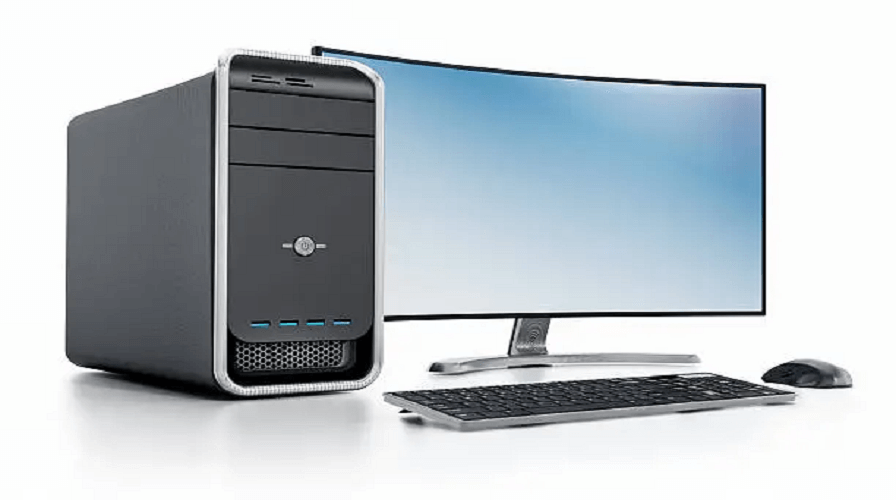
Introduction to Computer
A computer is an electronic machine that accepts data, processes it, and gives meaningful output.
It works with both hardware (physical parts) and software (programs).
A computer is an electronic machine that takes input, processes it, and gives output.
It stores information and works very fast and accurately.
A computer is an electronic machine that stores data, processes data, and gives results.
Definition of Computer:
A computer is an electronic device that receives data, stores it, processes it, and produces information.
Main Functions of a Computer:
- Input – Accepting data
- Processing – Using CPU
- Output – Displaying result
- Storage – Saving data
Computers work in binary language (0 and 1).
History of the Computer
The history of computers goes back to ancient times. Humans invented many devices to simplify calculations.
Early Calculating Devices:
Abacus (3000 BC):
The world’s first calculating tool was invented in China.
Used for addition and subtraction.
Napier’s Bones (1617):
John Napier invented rods for multiplication and division.
Pascaline (1642):
Blaise Pascal created the first mechanical calculator.
Leibniz Calculator (1673):
Could add, subtract, multiply, and divide more accurately.
Jacquard Loom (1801):
Used punched cards to control automatic weaving—a big step toward computers.
These inventions formed the base of modern computing.
Computer Born – The Real Beginning
The true birth of computers started in the 19th century with Charles Babbage.
Difference Engine (1822):
A mechanical machine that could calculate tables automatically.
Analytical Engine (1837):
The first design of a programmable computer.
It had:
- Input
- Output
- Memory
- Processor
This was the world’s first concept of a general-purpose computer.
Hence, this marks the true birth of modern computers.
Father of the Computer – Charles Babbage
Charles Babbage is known as the "Father of the Computer" because he designed the first programmable machine.
Why is Charles Babbage the Father of the Computer?
- He invented the Difference Engine
- He designed the Analytical Engine
- He introduced the concept of input, output, memory, and CPU
- His ideas are used in today’s computers
His assistant Ada Lovelace, is known as the First Computer Programmer.
Generations of Computers (Very Important)
Computer development is divided into five generations based on technology.
First Generation Computers (1940–1956)
Technology: Vacuum tubes
Size: Very large (room-sized)
Examples: ENIAC, UNIVAC
Second Generation Computers (1956–1963)
Technology: Transistors
Size: Smaller
Faster and more reliable
Examples: IBM 7094
Third Generation Computers (1964–1971)
Technology: Integrated Circuits (IC)
Size: Smaller, cheaper
Examples: IBM 360 series
Fourth Generation Computers (1971–Present)
Technology: Microprocessor
Personal computers introduced
Examples: Laptops, Desktops, Smartphones
Fifth Generation Computers (Future)
Technology:
- Artificial Intelligence
- Robotics
- Quantum computing
- Neural networks
These computers can think and learn like humans.
Evolution of Modern Computers
Modern computers evolved from huge, slow machines to fast, portable devices.
Major Milestones:
- 1940s – First electronic computers
- 1950s – Transistor revolution
- 1971 – First microprocessor (Intel 4004)
- 1980s – Personal computers become common
- 2000s – Laptops and mobile devices
- 2010s – Smartphones and tablets
- 2020s – AI-driven computers and cloud systems
Now computers are smaller, faster, smarter, and more powerful.
Types of Modern Computers
Modern computers come in many types:
- Supercomputers
- Mainframe Computers
- Minicomputers
- Microcomputers
- Laptops
- Tablets
- Smartphones
- Workstations
- Servers
Each type has a different purpose and usage.
Importance of Computers in Today’s World
Computers are used everywhere:
- Education
- Banking
- Medicine
- Business
- Communication
- Entertainment
- Engineering
- Weather forecasting
Computers make our work fast, easy, and accurate.
Who Invented the First Computer?
- Mechanical Computer – Charles Babbage
- First Programmable Computer – Analytical Engine (1837)
- First Electronic Computer – ENIAC (1945)
- First Microprocessor – Intel 4004 (1971)
- First PC (Personal Computer) – Altair 8800 (1975)
- First Laptop – Epson HX-20 (1981)
Each invention contributed to modern computing.
What is a computer?
A computer is an electronic machine that receives data (input), processes it, and produces meaningful results (output). It works with the help of hardware and software.
Who is known as the Father of the Computer?
Charles Babbage is known as the Father of the Computer because he designed the first mechanical computer, called the Analytical Engine, in the 1830s.
When was the first computer created?
The earliest computer concept was created in the 19th century by Charles Babbage, but the first electronic computer (ENIAC) was built in 1945 by John Mauchly and J. Presper Eckert.
What is the history of computers?
Computer history is divided into five generations:
- 1st Generation (Vacuum Tubes)
- 2nd Generation (Transistors)
- 3rd Generation (Integrated Circuits)
- 4th Generation (Microprocessors)
5th Generation (AI & Advanced Computing)
What are the main types of computers?
- Personal Computer (PC)
- Laptop
- Tablet
- Smartphone
- Server
- Supercomputer
- Mainframe Computer
Embedded Computer
What are the basic parts of a computer?
- CPU
- Monitor
- Keyboard
- Mouse
- RAM
- Hard Disk / SSD
- Motherboard
Power Supply
What is hardware?
Hardware is the physical part of the computer that you can touch. Example: CPU, keyboard, mouse, monitor, RAM, motherboard, etc.
What is software?
Software is a program or set of instructions that tells the computer what to do. Example: Windows, MS Word, Chrome, Games, Apps.
What are the uses of computers?
Computers are used in:
- Education
- Banking
- Online Shopping
- Hospitals
- Entertainment
- Communication
- Business
- Research
Defense
What is the difference between input and output devices?
- Input Devices help you enter data into the computer (keyboard, mouse, scanner).
Output Devices show results from the computer (monitor, printer, speakers).
What is a CPU and why is it important?
The CPU (Central Processing Unit) is the brain of the computer. It processes all instructions and controls every operation inside the computer.
What is the meaning of RAM?
RAM stands for Random Access Memory. It stores data temporarily while the computer is running. More RAM = better performance.
What is the difference between HDD and SSD?
- HDD: Slower, mechanical, cheaper, large storage.
SSD: Faster, no moving parts, costly, better performance.
What is an operating system (OS)?
An OS is system software that manages hardware and software. Examples:
- Windows
- macOS
- Linux
- Android
iOS
What is a supercomputer?
A supercomputer is the fastest and most powerful computer, used in scientific research, weather forecasting, and space exploration.
What is the Internet?
The Internet is a global network that connects millions of computers worldwide, enabling online communication and data sharing.
What is a computer virus?
A computer virus is a harmful program that can damage files, slow down your PC, or steal data.
How can I protect my computer from viruses?
- Install antivirus
- Don’t download suspicious files
- Keep your system updated
- Avoid unsafe websites
Use strong passwords
What are computer generations?
Computer generations refer to technological evolution:
- Vacuum Tubes
- Transistors
- ICs
- Microprocessors
AI & Robotics
What is binary language?
Binary is the computer's language that uses 0 and 1 to process all data and instructions.
What are examples of computer applications?
- MS Word
- MS Excel
- PowerPoint
- Web Browsers (Chrome, Firefox)
Programming Tools (VS Code)
How do computers help in daily life?
Computers make tasks faster and easier, such as online learning, banking, entertainment, work-from-home, communication, and shopping.
What is artificial intelligence (AI)?
AI is advanced computer technology that allows machines to think, learn, and make decisions like humans.
What is cloud computing?
Cloud computing stores and processes data on remote servers instead of your local computer. Example: Google Drive, AWS.
What is data?
Data is raw information, like numbers, text, images, audio, or video, that computers process to give meaningful results.
Conclusion
The computer has a long and fascinating history.
From ancient tools like the Abacus to today’s supercomputers, the journey shows how technology has grown dramatically.
Computers have become the backbone of modern life.
Understanding their history, origin, and development helps us appreciate how powerful and important they are today.
Leave a Comment
Your email address will not be published. Required fields are marked *
Related Post
Git & GitHub Version Control Tutorial for Beginners
Learn Git & GitHub Version Control with this complete beginner-to-advanced guide. Understand Git commands, repositories, branching, merging,
CI/CD Pipelines Complete Guide – Continuous Integration
Learn everything about CI/CD Pipelines in this complete guide. Understand Continuous Integration, Continuous Deployment.
DevOps: Ultimate Guide to DevOps Practices, Tools
Explore the complete DevOps guide for 2026. Learn DevOps practices, tools, benefits, CI/CD pipelines, automation, culture, and more.
What is Cloud Platforms? Types, Benefits
Learn everything about Cloud Platforms. Understand cloud computing platforms, types, benefits, services, use cases, security, and future trends.
Encryption: Types, Algorithms, Security and Data Encryption
Learn everything about Encryption in this complete guide. Understand what encryption is, types of encryption, algorithms, advantages, data security.
Ethical Hacking: Complete Guide, Tools, Techniques
Learn Ethical Hacking in this complete guide. Understand ethical hackers, types, tools, techniques, and cybersecurity best practices.
Network Security and Firewalls – Types, Architecture
Learn Network Security & Firewalls in detail. This complete guide covers concepts, types of firewalls, architecture, security threats, and more.
Network Routing and Switching – Types, Protocols & Working
Learn everything about Network Routing and Switching. Understand concepts, types, protocols, devices, differences, advantages, and more.
IP Addressing - IPv4, IPv6, Working, Types, Structure, Security
Internet Protocol (IP) is the foundation of the internet. Learn everything about IP, including IPv4, IPv6, IP addressing, packet delivery, and more.
Transmission Control Protocol (TCP) - Working, Features, Use
Learn everything about Transmission Control Protocol (TCP) in this complete SEO-friendly guide. Understand TCP definition, and more.