
Internet: Factors, Origins, History, Working, Uses
Introduction to the Internet
The Internet is one of the greatest technological inventions of human history. It has connected billions of people, devices, systems, and machines across the world. Today, the internet is the backbone of communication, business, education, entertainment, and digital services. Without the internet, modern life would become difficult, inefficient, and disconnected.
But what exactly is the Internet? How does it work? What are its types, uses, components, and advantages?
What Is the Internet? (Definition)
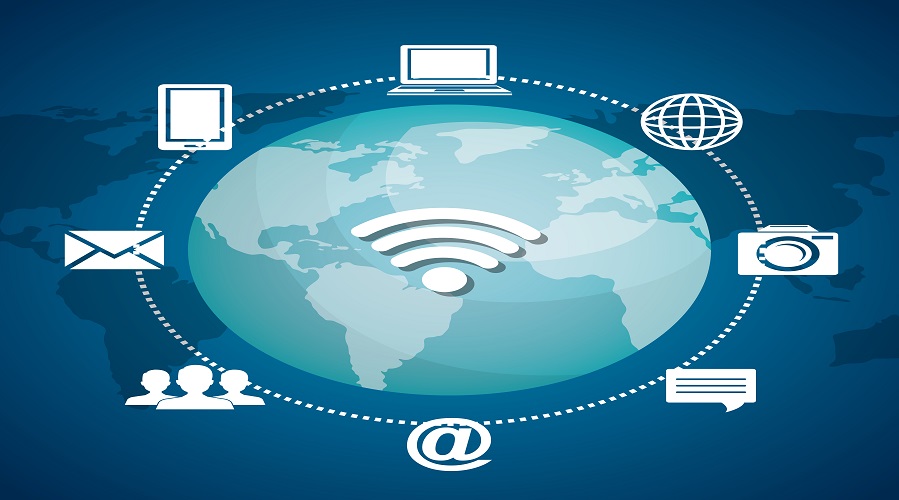
The Internet is a global network of interconnected computers and devices that communicate using standardized communication protocols like TCP/IP. It allows users to access information, share data, communicate instantly, use online services, and connect with digital platforms worldwide.
In simple words:
The Internet is a worldwide network of networks.
It connects:
- Computers
- Smartphones
- Servers
- IoT Devices
- Data centers
- Satellites
- Routers & switches
History of the Internet
The origin of the internet dates back to the 1960s, when the U.S. Department of Defense created ARPANET.
Key Historical Milestones
1969 – ARPANET
The first successful message was sent between two computers at UCLA and Stanford.
1974 – TCP/IP Protocol was Introduced
Vinton Cerf and Robert Kahn developed TCP/IP, the foundation of the modern Internet.
1983 – ARPANET switched to TCP/IP
This year is considered the true birth of the modern Internet.
1989 – World Wide Web (WWW) was Invented
Tim Berners-Lee introduced the concept of websites and browsers.
1991 – First Website Launched
The world’s first website was published on CERN’s server.
1995 – Commercial Internet Begins
The internet becomes public, and companies start offering commercial services.
2000s – Broadband & Wi-Fi Boom
High-speed internet and wireless technology spread globally.
2010s – Smartphones & Social Media Era
Mobile internet becomes dominant.
2020s – 5G, Fiber, IoT, AI Integration
Modern internet speeds reach gigabit levels.
How Does the Internet Work?
The internet works through a combination of hardware, software, and communication protocols.
1. Devices and Networks
Billions of devices (computers, phones, routers) connect to networks (LAN, WAN).
2. Internet Service Providers (ISPs)
ISPs such as Jio, Airtel, AT&T, and Vodafone connect users to the global internet.
3. Routers and Switches
Routers direct data to its correct destination; switches manage local traffic.
4. Servers
Servers store websites, apps, and cloud data.
5. Data Transmission
Data travels in small pieces called packets.
6. Protocols
TCP/IP ensures packets reach safely and correctly.
7. DNS (Domain Name System)
DNS converts website names (example.com) into IP addresses.
8. Backbone Network
Huge fiber-optic cables under oceans carry global traffic.
How the Internet Reaches Your Home
Step-by-step flow
- ISP receives internet from the backbone network
- ISP distributes internet through fiber, DSL, or cable
- The router or modem connects to your home
- Wi-Fi, an access point, broadcasts wireless signals
- Devices connect and access the internet
Components of the Internet
1. Servers
Hosts websites, apps, and files.
2. Clients
Users’ devices like laptops and mobiles.
3. Routers
Direct traffic between networks.
4. Switches
Connect devices inside a network.
5. Protocols
TCP/IP, HTTP, HTTPS, FTP, SMTP.
6. ISPs
Internet service providers.
7. Data Centers
Large facilities hosting servers.
Types of Internet Connections
1. Dial-Up Internet
Old, slow, telephone-based.
2. Broadband Internet
Fast and reliable with a wide bandwidth.
3. DSL
Uses a telephone line, but with better speed.
4. Cable Internet
Uses TV cable wires.
5. Fiber-Optic Internet
Uses light signals – extremely fast.
6. Satellite Internet
Used in remote/rural areas.
7. Wireless Internet (Wi-Fi)
Used in homes and public places.
8. Mobile Internet (4G/5G)
Internet through cellular networks.
Types of Internet Services
1. WWW (World Wide Web)
Websites, browsing, online information.
2. Email
Electronic messaging system.
3. Social Networking
Facebook, Instagram, X (Twitter), LinkedIn.
4. Cloud Computing
Google Drive, AWS, Microsoft Azure.
5. E-commerce
Amazon, Flipkart, Shopify.
6. Online Banking
UPI, net banking, payment apps.
7. Streaming Services
YouTube, Netflix, Spotify.
8. Online Education
Udemy, Coursera, Byju’s.
Uses of the Internet
1. Communication
Email, WhatsApp, video calls, messaging apps.
2. Information & Research
Google Search, Wikipedia, digital libraries.
3. Education
E-learning, online classes, certifications.
4. Business & Marketing
Digital marketing, e-commerce, CRM, ERP.
5. Entertainment
Music, movies, video games, OTT platforms.
6. Banking & Finance
Online banking, mobile banking, UPI.
7. Social Networking
Connecting with people globally.
8. Shopping
Online stores, marketplaces, and product research.
9. Navigation
Google Maps, GPS-based systems.
10. Smart Devices (IoT)
Smart homes, smart cars, automation.
Advantages of the Internet
Easy communication
Instant access to information
Online education
Business growth and global reach
Online payment, banking & finance
Cloud storage and computing
Entertainment on demand
Remote work and collaboration
Automation through IoT
Social connections worldwide
Disadvantages of the Internet
Cybersecurity threats
Online fraud and scams
Data privacy concerns
Addiction to social media
Fake news and misinformation
Health issues due to overuse
Digital divide in rural areas
Internet Protocols
1. TCP/IP – Transmission Control Protocol / Internet Protocol
Foundation of internet communication.
2. HTTP / HTTPS
Protocols for web browsing.
3. FTP
File transfer protocol.
4. SMTP / POP3 / IMAP
Email communication protocols.
5. DNS
Converts domain names into IP addresses.
World Wide Web vs Internet
| Feature | Internet | World Wide Web |
|---|---|---|
| Definition | Global network of computers | Collection of web pages |
| Technology | Routing, networking, servers | Browsers, HTML, hyperlinks |
| Dependency | Internet works without WWW | WWW needs internet |
Future of the Internet
1. 5G & 6G Internet
Faster speeds, lower latency.
2. IoT Expansion
Billions of connected smart devices.
3. Artificial Intelligence Integration
AI-driven automation and services.
4. Metaverse & Virtual Reality
Virtual worlds powered by high-speed internet.
5. Quantum Internet
Ultra-secure quantum communication.
6. Edge Computing
Faster processing near the data source.
7. Satellite Internet (Starlink)
Internet coverage for the whole planet.
Importance of the Internet in Modern Life
Education
Students access online courses, study materials, and digital libraries.
Healthcare
Telemedicine, online consultation, digital health records.
Business
E-commerce, digital marketing, and remote work.
Government Services
Aadhaar, PAN, e-governance portals.
Entertainment
OTT platforms, gaming, and social media.
Internet in Daily Life
Morning:
Checking messages, news, emails, and social media.
Daytime:
Work, meetings, banking, learning.
Evening:
Shopping, streaming movies, browsing the web.
Night:
Online gaming, social networking, and cloud backup.
Security on the Internet
1. Password Security
Strong passwords protect accounts.
2. Antivirus & Firewalls
Protect against cyber threats.
3. Encryption
Keeps data safe during transmission.
4. Two-Factor Authentication (2FA)
Provides extra security.
Internet Safety Tips
- Avoid clicking on unknown links.
- Do not share personal details.
- Use strong passwords.
- Enable 2FA everywhere.
- Update software regularly.
- Use secure (HTTPS) websites.
- Avoid using public Wi-Fi for payments.
Internet: Factors
The performance, accessibility, speed, and overall experience of the Internet depend on several key factors. These factors influence how fast a webpage loads, how stable your connection is, and how efficiently data travels across networks.
Below is a detailed, SEO-optimized explanation of the major factors affecting the Internet.
1. Bandwidth
Bandwidth refers to the maximum data that can be transmitted over an internet connection in a given time, usually measured in Mbps or Gbps.
Impact of Bandwidth
- Higher bandwidth = Faster downloading
- Lower bandwidth = Slow streaming and lag
- Needed for HD/4K videos, online gaming
2. Latency
Latency is the time data takes to travel from the source to the destination.
High Latency Causes
- Long-distance routing
- Poor-quality network infrastructure
- Congested networks
Impact
- Lag in gaming
- Slow video calls
Delay in loading interactive content
3. Internet Speed
This includes both:
- Download speed (data you receive)
Upload speed (data you send)
Factors affecting speed
- Type of connection (fiber > cable > DSL > mobile)
- Router performance
ISP bandwidth limits
4. Network Congestion
When too many users or devices use the network at the same time, it slows down.
Common in:
- Public Wi-Fi
- Peak hours
Shared home connections
5. Type of Internet Connection
1. Fiber Optic – Fastest, stable
2. Cable – High speed
3. DSL – Moderate
4. Satellite – High latency
5. Mobile (4G/5G) – Depends on network strength
Each type provides different performance levels.
6. Router Quality and Range
Your router plays a major role in internet performance.
Better routers offer:
- Higher Wi-Fi range
- Faster speed support
- Dual-band (2.4GHz + 5GHz)
More security features
7. Distance from Wi-Fi Router
The farther you are from the router, the weaker the signal.
Obstacles that block Wi-Fi:
- Walls
- Furniture
- Doors
Electronic appliances
8. Device Limitations
Older devices cannot handle high-speed internet.
Limitations include:
- Low RAM
- Weak processors
- Outdated network cards
Old Wi-Fi standards (802.11b/g)
9. ISP (Internet Service Provider)
Your ISP determines:
- Your connection speed
- Monthly bandwidth cap
- Network reliability
Customer support quality
10. Server Distance
The farther the server is located from your region, the higher the latency.
Example:
A website hosted in the USA will load more slowly in India compared to a site hosted in India.
11. Weather Conditions
Affects especially:
- Satellite internet
- Wireless connections
Long-distance outdoor links
12. Network Traffic Management by ISP
Some ISPs apply:
- Traffic shaping
- Throttling
- Bandwidth caps
These reduce speed during heavy-use periods.
13. Security & Firewall Settings
Strong firewalls protect your connection but may slow down data transfer.
Security factors include:
- Antivirus software
- Router firewall
VPN usage
14. VPN Usage
VPN can:
- Reduce speed
- Increase latency
- Encrypt data
- Bypass restrictions
Performance depends on:
- VPN server location
- Server load
VPN protocol
15. DNS Server Speed
DNS affects how quickly a website is found and loaded.
Fast DNS = faster browsing
Examples:
- Google DNS
- Cloudflare DNS
OpenDNS
16. Background Apps & Devices
Apps like:
- Auto-updates
- Cloud sync
- Background downloads
These silently consume bandwidth.
17. Website Optimization
The website you are accessing also affects performance.
Poorly optimized websites cause:
- Slow loading
- Heavy images
Too many scripts
18. Peak Usage Hours
During evenings or weekends, more people use the internet.
Results in:
- Slow streaming
- Lag in games
Delayed downloads
19. Wired vs Wireless Connection
Wired (Ethernet):
- Faster
- Stable
Low latency
Wireless (Wi-Fi):
- Slower
- Can drop packets
Affected by interference
20. Interference from Other Electronics
Microwaves, cordless phones, and Bluetooth devices can weaken Wi-Fi (especially 2.4GHz).
1. What is the Internet?
The Internet is a global network of interconnected devices that communicate using TCP/IP protocols.
2. Who invented the Internet?
The Internet evolved from ARPANET, developed by the U.S. Department of Defense.
3. What is the difference between the Internet and the WWW?
The Internet is a global network; WWW is a collection of web pages accessed through browsers.
4. What are the main uses of the Internet?
Communication, information, business, education, entertainment, banking, and shopping.
5. What is Wi-Fi?
Wi-Fi is a wireless technology used to connect devices to the internet without cables.
6. What is broadband?
High-speed internet with a large bandwidth.
7. How does the Internet work?
It works through servers, routers, fiber cables, and standardized communication protocols.
8. Is the Internet safe?
It is safe if users follow good cybersecurity practices.
9. What is the fastest type of internet?
Fiber-optic internet.
10. What will be the future of the internet?
Faster, smarter, highly connected networks powered by 5G, AI, IoT, VR, and quantum technology.
Conclusion
The Internet is the foundation of the digital world. It has transformed communication, business, education, entertainment, and almost every aspect of human life. From browsing websites to online shopping, from streaming movies to learning new skills, the internet has made everything faster, easier, and more accessible.
As technology continues to advance with 5G, AI, IoT, cloud computing, and quantum networking, the internet will become even more powerful and essential. However, users must remain aware of cybersecurity risks and follow safety practices.
Overall, the internet is one of the most revolutionary creations ever, connecting the entire world into one global digital community.
Leave a Comment
Your email address will not be published. Required fields are marked *
Related Post
Git & GitHub Version Control Tutorial for Beginners
Learn Git & GitHub Version Control with this complete beginner-to-advanced guide. Understand Git commands, repositories, branching, merging,
CI/CD Pipelines Complete Guide – Continuous Integration
Learn everything about CI/CD Pipelines in this complete guide. Understand Continuous Integration, Continuous Deployment.
DevOps: Ultimate Guide to DevOps Practices, Tools
Explore the complete DevOps guide for 2026. Learn DevOps practices, tools, benefits, CI/CD pipelines, automation, culture, and more.
What is Cloud Platforms? Types, Benefits
Learn everything about Cloud Platforms. Understand cloud computing platforms, types, benefits, services, use cases, security, and future trends.
Encryption: Types, Algorithms, Security and Data Encryption
Learn everything about Encryption in this complete guide. Understand what encryption is, types of encryption, algorithms, advantages, data security.
Ethical Hacking: Complete Guide, Tools, Techniques
Learn Ethical Hacking in this complete guide. Understand ethical hackers, types, tools, techniques, and cybersecurity best practices.
Network Security and Firewalls – Types, Architecture
Learn Network Security & Firewalls in detail. This complete guide covers concepts, types of firewalls, architecture, security threats, and more.
Network Routing and Switching – Types, Protocols & Working
Learn everything about Network Routing and Switching. Understand concepts, types, protocols, devices, differences, advantages, and more.
IP Addressing - IPv4, IPv6, Working, Types, Structure, Security
Internet Protocol (IP) is the foundation of the internet. Learn everything about IP, including IPv4, IPv6, IP addressing, packet delivery, and more.
Transmission Control Protocol (TCP) - Working, Features, Use
Learn everything about Transmission Control Protocol (TCP) in this complete SEO-friendly guide. Understand TCP definition, and more.