
Network Devices Importance
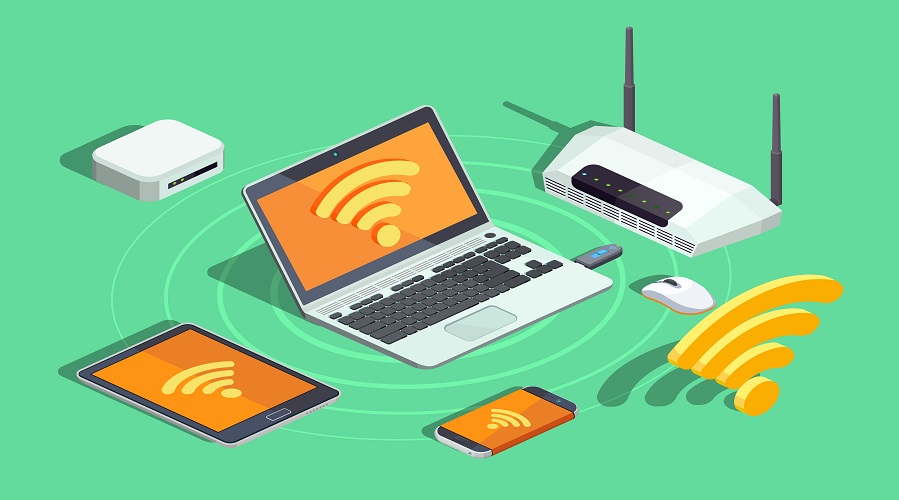
Network Devices: A Complete Guide to Types, Functions, and Their Importance in Networking
Introduction to Network Devices
In the world of computer networking, data travels across computers, servers, and devices through a structured system. However, this communication cannot occur without specialized hardware known as network devices. These devices help connect computers, manage traffic, transfer data, secure the network, and ensure smooth communication.
Whether it’s a small home network or a large enterprise setup, network devices play a crucial role in forming the backbone of any network.
What are Network Devices?
Network devices (also called networking hardware) are physical electronic devices used to connect computers, manage network operations, regulate traffic, and allow communication between multiple users and systems.
They operate at different layers of the OSI Model, such as Layer 1 (physical), Layer 2 (data link), Layer 3 (network), and so on.
Importance of Network Devices
Network devices are essential because:
- They enable communication between multiple computers.
- They manage and control data traffic.
- They enhance network security.
- They expand the range and size of networks.
- They help create LAN, MAN, and WAN networks.
- They help troubleshoot, monitor, and optimize network performance.
Types of Network Devices
Below are the most commonly used network devices:
- Hub
- Switch
- Router
- Modem
- Access Point (AP)
- Repeater
- Bridge
- Gateway
- Firewall
- Network Interface Card (NIC)
- Load Balancer
- Proxy Server
- VoIP Devices
- Media Converters
Let’s explore each one in detail.
1. Hub
A Hub is the simplest network device used to connect multiple computers in a LAN.
Functions of a Hub
- Broadcasts data to all connected devices
- Works as a basic connecting point
- Operates at OSI Layer 1 (Physical Layer)
Types of Hubs
- Active Hub – With amplifiers
- Passive Hub – Without amplifiers
- Intelligent Hub – With monitoring features
Advantages
- Very cheap
- Easy to install
Disadvantages
- Slow
- No security
- No traffic control
Use Cases
- Small home networks
- Basic testing networks
2. Switch
A Switch is an advanced device used in modern networks. It connects devices and intelligently forwards data only to the intended device.
How Switch Works
Switch uses the MAC Address to determine where to send data.
Functions
- Reduces collisions
- Improves network performance
- Works at OSI Layer 2
- Some advanced switches work at Layer 3
Advantages
- Fast data transfer
- Secure communication
- Better performance than hubs
Use Cases
- Schools
- Offices
- Data centers
3. Router
A Router connects multiple networks and forwards data between them. It uses IP Addresses to make routing decisions.
Functions
- Connects LAN to WAN
- Provides internet access
- Assigns IP through DHCP
- Provides security through firewall features
- Works at OSI Layer 3
Advantages
- Secure
- Manages traffic efficiently
- Supports wireless communication
Use Cases
- Home Wi-Fi
- Enterprise networks
- ISPs
4. Modem
A Modem (Modulator-Demodulator) converts digital signals of a computer into analog signals for transmission over telephone lines, fiber, or cable.
Functions
- Provides internet connectivity
- Converts signal formats
- Works with routers
Types
- DSL Modem
- Cable Modem
- Fiber ONT Modem
5. Access Point (AP)
An Access Point provides wireless connectivity to devices using Wi-Fi standards, such as 802.11a, 802.11 b, 802.11 g, 802.11n, 802.11ac, and 802.11ax.
Functions
- Expands wireless coverage
- Connects wireless devices to the LAN
- Works at Layer 2
Use Cases
- Offices
- Airports
- Public places
6. Repeater
A Repeater amplifies and regenerates signals to extend the network range.
Functions
- Extends Wi-Fi range
- Boosts weak signals
- Works at Layer 1
Use Cases
- Large homes
- Factories
- Long-distance networks
7. Bridge
A Bridge connects two LAN segments and reduces network traffic.
Functions
- Filters traffic
- Divides the network into segments
- Works at Layer 2
Use Cases
- LAN expansion
- Traffic optimization
8. Gateway
A Gateway connects two completely different networks, such as a LAN to the Internet.
Functions
- Protocol translation
- Security management
- Data filtering
- Works at multiple OSI layers
Use Cases
- Enterprise networks
- Cloud connectivity
9. Firewall
A Firewall protects the network from unauthorized access and cyber attacks.
Functions
- Filters incoming and outgoing traffic
- Blocks threats
- Works at Layer 4 to Layer 7
Types
- Hardware Firewall
- Software Firewall
- Next-Gen Firewall
Use Cases
- Organizations
- Home networks
10. Network Interface Card (NIC)
NIC is a hardware component that allows a device to connect to a network.
Functions
- Provides MAC Address
- Supports wired or wireless communication
- Works at Layer 2
Types
- Wired NIC
- Wireless NIC
11. Load Balancer
A Load Balancer distributes network traffic across multiple servers to prevent overload.
Functions
- Increases performance
- Enhances reliability
- Prevents downtime
Use Cases
- Data centers
- Large websites
- Cloud applications
12. Proxy Server
A Proxy Server acts as an intermediary between the user and the Internet.
Functions
- Hides IP address
- Improves security
- Caches web pages
Use Cases
- Schools
- Corporations
- Secure browsing
13. VoIP Devices
These devices help transmit voice over the internet (IP telephony).
Types
- VoIP Phones
- ATA (Analog Telephone Adapter)
- VoIP Routers
14. Media Converters
They convert media types such as copper to fiber.
Use Cases
- Long-distance data transmission
- Industrial networks
Network Devices in the OSI Model
| OSI Layer | Network Device |
|---|---|
| Layer 1 | Hub, Repeater |
| Layer 2 | Switch, Bridge, NIC |
| Layer 3 | Router |
| Layer 4-7 | Firewall, Gateway, Proxy |
Difference Between Hub, Switch, and Router
| Feature | Hub | Switch | Router |
|---|---|---|---|
| Layer | 1 | 2 | 3 |
| Speed | Slow | Fast | Very Fast |
| Security | Low | Medium | High |
| Routing | No | Limited | Yes |
| Data Flow | Broadcast | Unicast & Broadcast | Routing through IP |
Why Modern Networks Use Switches Instead of Hubs
- Less collisions
- Higher speed
- Better performance
- Intelligent traffic management
Network Devices Used in Home Networks
- Router
- Modem
- Access Point
- Switch (optional)
- Repeater (optional)
Network Devices Used in Offices
- Managed Switch
- Routers
- Access Points
- Firewall
- Load Balancers
- VoIP Systems
Advanced Network Devices
SD-WAN Devices
Used to control and optimize WAN connections.
IDS/IPS
Intrusion detection and prevention systems.
Cloud Network Devices
Used in AWS, Azure, and GCP virtual environments.
Future of Networking Devices
- AI-based smart routers
- 5G & Wi-Fi 7 compatible devices
- Cloud-managed network devices
- Fully automated network controls
1. What are network devices?
Network devices are hardware components used to connect, manage, and secure computer networks.
2. Which is better: Switch or Hub?
Switch is better because it intelligently forwards data, provides security, and offers higher speed.
3. What device connects a network to the Internet?
A Router (along with a modem).
4. What is the difference between a modem and a router?
A modem brings the internet connection; a router distributes it to multiple devices.
5. Which device is used to extend Wi-Fi range?
A Repeater or Wi-Fi Extender.
6. What is a firewall?
A firewall protects the network from unauthorized access and cyber threats.
7. What is NIC?
A Network Interface Card allows a device to connect to a network.
8. Which device converts digital signals to analog?
A Modem.
9. What device translates protocols?
A Gateway.
10. What is the most important device in home networking?
A Wi-Fi Router.
Conclusion
Network devices are the backbone of modern computer networks. From small home networks to large enterprise infrastructures, these devices ensure seamless communication, efficient data transfer, and strong security. Each device—whether it’s a hub, switch, router, modem, access point, bridge, gateway, repeater, firewall, or proxy server—plays a unique and essential role in building a stable and reliable network.
Switches manage traffic intelligently, routers connect multiple networks, modems bring internet connectivity, access points extend wireless coverage, and firewalls safeguard the entire system. Without these devices, digital communication, online services, and cloud technologies would not be possible.
Leave a Comment
Your email address will not be published. Required fields are marked *
Related Post
Git & GitHub Version Control Tutorial for Beginners
Learn Git & GitHub Version Control with this complete beginner-to-advanced guide. Understand Git commands, repositories, branching, merging,
CI/CD Pipelines Complete Guide – Continuous Integration
Learn everything about CI/CD Pipelines in this complete guide. Understand Continuous Integration, Continuous Deployment.
DevOps: Ultimate Guide to DevOps Practices, Tools
Explore the complete DevOps guide for 2026. Learn DevOps practices, tools, benefits, CI/CD pipelines, automation, culture, and more.
What is Cloud Platforms? Types, Benefits
Learn everything about Cloud Platforms. Understand cloud computing platforms, types, benefits, services, use cases, security, and future trends.
Encryption: Types, Algorithms, Security and Data Encryption
Learn everything about Encryption in this complete guide. Understand what encryption is, types of encryption, algorithms, advantages, data security.
Ethical Hacking: Complete Guide, Tools, Techniques
Learn Ethical Hacking in this complete guide. Understand ethical hackers, types, tools, techniques, and cybersecurity best practices.
Network Security and Firewalls – Types, Architecture
Learn Network Security & Firewalls in detail. This complete guide covers concepts, types of firewalls, architecture, security threats, and more.
Network Routing and Switching – Types, Protocols & Working
Learn everything about Network Routing and Switching. Understand concepts, types, protocols, devices, differences, advantages, and more.
IP Addressing - IPv4, IPv6, Working, Types, Structure, Security
Internet Protocol (IP) is the foundation of the internet. Learn everything about IP, including IPv4, IPv6, IP addressing, packet delivery, and more.
Transmission Control Protocol (TCP) - Working, Features, Use
Learn everything about Transmission Control Protocol (TCP) in this complete SEO-friendly guide. Understand TCP definition, and more.