
Computer Peripheral Devices
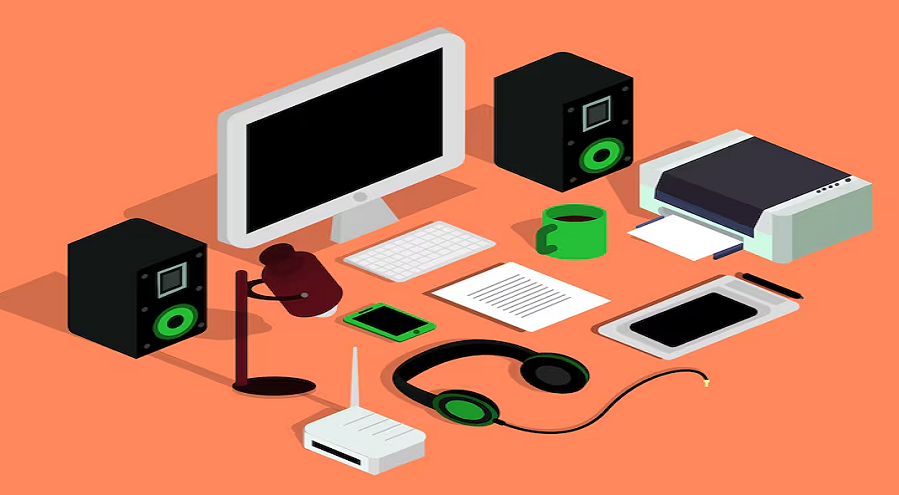
In the modern digital era, computers are an essential part of daily life. However, a computer alone cannot perform all tasks efficiently without the help of additional hardware components. These extra components are known as Computer Peripheral Devices.
Computer Peripheral Devices are external hardware components that are connected to a computer system to enhance its functionality. They help users input data, receive output, store information, and communicate with other systems.
Without peripheral devices, a computer would be limited to internal processing only, making it impractical for real-world usage. From typing documents and printing reports to storing data and playing multimedia, peripheral devices play a vital role in every computing task.
What Are Computer Peripheral Devices?
Computer Peripheral Devices are hardware components that are not part of the core computer architecture (CPU, motherboard, RAM) but are connected externally to perform specific functions.
Key Characteristics of Peripheral Devices
- They are external hardware components
- They can be connected or disconnected easily
- They enhance input, output, storage, or communication
- They are optional but essential for usability
Peripheral devices communicate with the computer using ports such as USB, HDMI, Bluetooth, Wi-Fi, or legacy ports.
Classification of Computer Peripheral Devices
Computer peripheral devices are broadly classified into three major categories:
- Input Devices
- Output Devices
- Storage Devices
Each category has a unique role in computer operations.
1. Input Peripheral Devices
Input Devices are peripheral devices used to enter data and instructions into the computer system. These devices convert human actions into machine-readable signals.
Functions of Input Devices
- Data entry
- Command execution
- User interaction
- Control computer operations
Common Input Peripheral Devices
Keyboard
A keyboard is the most widely used input device. It allows users to enter text, numbers, and commands.
Types of Keyboards
- Mechanical Keyboard
- Membrane Keyboard
- Wireless Keyboard
- Virtual Keyboard
- Ergonomic Keyboard
Main Keys on a Keyboard
- Alphanumeric keys
- Function keys
- Control keys
- Navigation keys
- Numeric keypad
Mouse
A mouse is a pointing device used to control the cursor on the screen.
Types of Mouse
- Optical Mouse
- Laser Mouse
- Wireless Mouse
- Trackball Mouse
- Gaming Mouse
Functions of the Mouse
- Pointing
- Clicking
- Dragging
- Scrolling
Scanner
A scanner converts physical documents into a digital format.
Uses of Scanner
- Digitizing documents
- Image processing
- OCR (Optical Character Recognition)
Types of Scanners
- Flatbed Scanner
- Handheld Scanner
- Drum Scanner
- Sheet-fed Scanner
Microphone
A microphone is an audio input device used to capture sound.
Applications
- Voice recording
- Online meetings
- Voice commands
- Gaming communication
Webcam
A webcam captures live video input.
Uses
- Video conferencing
- Online classes
- Live streaming
- Security monitoring
Joystick
A joystick is mainly used for gaming and simulation purposes.
Applications
- Video games
- Flight simulation
- Robotics control
Touchpad and Touchscreen
These devices allow direct interaction with the display.
Advantages
- Easy navigation
- Compact design
- Touch-based control
2. Output Peripheral Devices
Output Devices are peripheral devices that present processed data to the user in a human-readable form.
Functions of Output Devices
- Display information
- Produce hard copies
- Generate sound
- Visual representation of results
Common Output Peripheral Devices
Monitor
A monitor displays visual output generated by the computer.
Types of Monitors
- CRT Monitor
- LCD Monitor
- LED Monitor
- OLED Monitor
- Touch Monitor
Key Features
- Screen size
- Resolution
- Refresh rate
- Color accuracy
Printer
A printer produces hard copies of digital documents.
Types of Printers
- Inkjet Printer
- Laser Printer
- Dot Matrix Printer
- Thermal Printer
- 3D Printer
Uses
- Document printing
- Photo printing
- Industrial printing
Speakers
Speakers convert digital audio signals into sound.
Applications
- Music playback
- Video conferencing
- Gaming
- Multimedia presentations
Headphones
Headphones are personal audio output devices.
Advantages
- Privacy
- Clear sound quality
- Noise isolation
Projector
A projector displays computer output on a large screen.
Uses
- Classrooms
- Business presentations
- Home theaters
- Conferences
Plotter
A plotter is used for printing large graphical designs.
Applications
- Engineering drawings
- Architectural designs
- CAD output
3. Storage Peripheral Devices
Storage Devices are peripheral devices used to store data permanently or temporarily.
Functions of Storage Devices
- Data backup
- File transfer
- Long-term storage
- Data security
Common Storage Peripheral Devices
Hard Disk Drive (HDD)
HDD is a magnetic storage device.
Advantages
- Large storage capacity
- Cost-effective
Disadvantages
- Slower speed
- Mechanical failure risk
Solid State Drive (SSD)
SSD uses flash memory for data storage.
Advantages
- Faster performance
- Durable
- Energy efficient
USB Flash Drive
A portable storage device.
Uses
- File transfer
- Data backup
- Bootable drives
Memory Card
Used in cameras, smartphones, and tablets.
Types
- SD Card
- microSD Card
- CF Card
External Hard Drive
An external storage solution.
Benefits
- Portability
- Backup solution
- Large storage capacity
Optical Discs
Includes CDs, DVDs, and Blu-ray discs.
Uses
- Media storage
- Software distribution
- Data backup
Communication Peripheral Devices
Some peripheral devices are used for communication and networking.
Examples
- Modem
- Network Interface Card (NIC)
- Wi-Fi Adapter
- Bluetooth Adapter
Functions
- Internet access
- Data sharing
- Network communication
Importance of Computer Peripheral Devices
Computer peripheral devices are essential for efficient computing.
Key Importance
- Enhance usability
- Improve productivity
- Enable multitasking
- Support specialized tasks
- Improve user interaction
Without peripheral devices, computers would be limited to internal processing with no meaningful user interface.
Advantages of Computer Peripheral Devices
- Expand computer functionality
- Improve data input and output
- Enable multimedia experience
- Provide data storage solutions
- Increase work efficiency
Disadvantages of Peripheral Devices
- Additional cost
- Require maintenance
- Compatibility issues
- Consume power
- Security risks (external storage)
Peripheral Devices and Ports
Peripheral devices connect through different ports.
Common Ports
- USB
- HDMI
- VGA
- DisplayPort
- Ethernet
- Audio Jack
- Thunderbolt
Wireless Peripheral Devices
Modern computers support wireless peripherals.
Examples
- Wireless mouse
- Wireless keyboard
- Bluetooth headphones
- Wireless printers
Benefits
- Less cable clutter
- Better mobility
- Easy connectivity
Peripheral Devices in Different Fields
Education
- Projectors
- Interactive boards
- Printers
Healthcare
- Medical scanners
- Diagnostic peripherals
- Monitoring devices
Business
- Barcode scanners
- POS machines
- Network printers
Gaming
- Game controllers
- VR headsets
- Gaming keyboards and mouse
Future Trends in Computer Peripheral Devices
Technology is evolving rapidly, and peripheral devices are becoming smarter.
Emerging Trends
- AI-powered peripherals
- Voice-controlled devices
- Wireless and cloud-connected devices
- Virtual and augmented reality peripherals
- Biometric input devices
Difference Between Internal and Peripheral Devices
Internal Devices
- CPU
- RAM
- Motherboard
- Internal storage
Peripheral Devices
- Keyboard
- Mouse
- Monitor
- Printer
- External storage
How to Choose the Right Peripheral Devices
When selecting peripheral devices, consider:
- Compatibility
- Purpose
- Performance
- Budget
- Durability
- Brand reliability
Communication Peripheral Devices
In today’s digital world, communication is the backbone of modern computing. Computers are no longer standalone machines limited to local processing. They are interconnected through networks, the internet, cloud systems, and smart devices. This connectivity is made possible by Communication Peripheral Devices.
Communication Peripheral Devices are hardware components that allow a computer system to communicate with other computers, servers, networks, and digital systems. These devices enable the transmission and reception of data, voice, and multimedia across short and long distances.
Without communication peripherals, services such as email, video conferencing, online education, cloud computing, e-commerce, and social media would not be possible.
What Are Communication Peripheral Devices?
Communication Peripheral Devices are external or internal hardware devices that facilitate data exchange between a computer and other devices or networks.
Key Features of Communication Peripheral Devices
- Enable data transmission and reception
- Support wired or wireless communication
- Work with networking protocols
- Connect computers to local or global networks
- Enhance information sharing and collaboration
These devices act as a bridge between a computer system and the outside digital world.
Role of Communication Peripheral Devices in Computing
Communication peripheral devices play a critical role in modern computer systems.
Main Roles
- Connecting computers to the internet
- Enabling local area networking
- Supporting wireless communication
- Facilitating data sharing
- Enabling real-time communication
In the absence of communication peripherals, computers would function as isolated systems with limited usability.
Classification of Communication Peripheral Devices
Communication peripheral devices can be classified based on connectivity and function.
Major Categories
- Wired Communication Devices
- Wireless Communication Devices
- Network Management Devices
- Data Transmission Devices
1. Wired Communication Peripheral Devices
Wired communication devices use physical cables to transmit data between systems.
Advantages of Wired Devices
- Stable connection
- High data transfer speed
- Low interference
- Better security
Modem
A modem (Modulator-Demodulator) is one of the most important communication peripheral devices.
Functions of a Modem
- Converts digital signals to analog signals
- Converts analog signals to digital signals
- Enables internet connectivity
Types of Modems
- Dial-up Modem
- DSL Modem
- Cable Modem
- Fiber Modem
- Internal Modem
- External Modem
Applications
- Internet access
- Data transmission
- Online communication
Network Interface Card (NIC)
A Network Interface Card allows a computer to connect to a network.
Functions of NIC
- Sends and receives network data
- Converts data into network signals
- Provides a unique MAC address
Types of NIC
- Wired NIC
- Wireless NIC
- Integrated NIC
- Expansion Card NIC
Ethernet Card
An Ethernet Card is a type of NIC designed specifically for wired Ethernet networks.
Features
- High-speed data transfer
- Reliable communication
- Used in LAN environments
Switch
A network switch connects multiple devices within a local area network.
Functions
- Data packet forwarding
- Network traffic management
- Efficient data routing
Uses
- Office networks
- Data centers
- Educational institutions
Hub
A hub is a basic networking device used to connect multiple computers.
Characteristics
- Broadcasts data to all ports
- Less efficient than switches
- Mostly obsolete in modern networks
2. Wireless Communication Peripheral Devices
Wireless communication devices transmit data without physical cables.
Advantages of Wireless Devices
- Mobility
- Easy installation
- Reduced cable clutter
- Flexible connectivity
Wireless Network Adapter
A wireless network adapter enables a computer to connect to Wi-Fi networks.
Functions
- Wireless data transmission
- Network detection
- Internet access
Types
- USB Wi-Fi Adapter
- PCI Wireless Card
- Built-in Wireless Adapter
Bluetooth Adapter
A Bluetooth adapter allows short-range wireless communication.
Uses
- Connecting wireless keyboards and a mouse
- File transfer
- Audio streaming
- IoT device connectivity
Wi-Fi Router
A Wi-Fi router distributes internet connectivity wirelessly.
Functions
- Data routing
- Network security
- IP address management
Applications
- Homes
- Offices
- Public Wi-Fi zones
Wireless Access Point
A wireless access point extends wireless network coverage.
Benefits
- Improved signal strength
- Larger coverage area
- Enterprise networking support
3. Data Transmission Communication Devices
These devices are designed to manage data flow and signal transmission.
Repeater
A repeater boosts network signals to extend coverage.
Functions
- Signal amplification
- Range extension
- Network performance improvement
Bridge
A bridge connects two or more network segments.
Uses
- Network segmentation
- Traffic reduction
- Improved efficiency
Gateway
A gateway connects different types of networks.
Functions
- Protocol conversion
- Network translation
- Data routing
4. Network Management Communication Devices
These devices manage, control, and secure communication networks.
Firewall Device
A firewall monitors and controls network traffic.
Functions
- Prevent unauthorized access
- Protect network resources
- Monitor data packets
Proxy Server
A proxy server acts as an intermediary between users and the internet.
Advantages
- Improved security
- Content filtering
- Performance optimization
Communication, Peripheral Devices, and Networking Protocols
Communication devices operate using networking protocols.
Common Protocols
- TCP/IP
- HTTP
- HTTPS
- FTP
- SMTP
- DNS
These protocols ensure accurate data transmission and communication reliability.
Importance of Communication: Peripheral Devices
Communication peripheral devices are essential for modern computing.
Key Importance
- Enable internet access
- Support cloud computing
- Enable remote work
- Facilitate online education
- Support real-time communication
Advantages of Communication Peripheral Devices
- Global connectivity
- Fast information sharing
- Remote collaboration
- Improved productivity
- Digital transformation
Disadvantages of Communication Peripheral Devices
- Security risks
- Network dependency
- Maintenance cost
- Technical complexity
- Compatibility issues
Communication Peripheral Devices in Different Fields
Education Sector
- Online classrooms
- Virtual labs
- Digital libraries
Business Sector
- Video conferencing
- Cloud collaboration
- E-commerce platforms
Healthcare Sector
- Telemedicine
- Remote diagnostics
- Digital health records
Government Sector
- E-governance
- Digital documentation
- Online public services
Wireless vs Wired Communication Peripheral Devices
Wired Devices
- Higher speed
- Better security
- Stable connection
Wireless Devices
- Mobility
- Easy installation
- Scalability
Security Concerns in Communication Peripheral Devices
Security is a major concern in communication systems.
Common Threats
- Data interception
- Malware attacks
- Unauthorized access
- Network breaches
Security Measures
- Encryption
- Firewalls
- Secure authentication
- Regular updates
Future Trends in Communication Peripheral Devices
Technology is continuously evolving.
Emerging Trends
- 5G-enabled devices
- AI-driven networking
- IoT communication peripherals
- Cloud-based communication
- Software-defined networking
Difference Between Communication Devices and Other Peripheral Devices
Input Devices
- Keyboard
- Mouse
- Scanner
Output Devices
- Monitor
- Printer
- Speakers
Communication Devices
- Modem
- NIC
- Router
- Wireless adapters
How to Choose the Right Communication Peripheral Device
When selecting communication peripherals, consider:
- Network requirements
- Speed and bandwidth
- Security features
- Compatibility
- Scalability
- Budget
Maintenance of Communication Peripheral Devices
Proper maintenance ensures reliable performance.
Best Practices
- Regular firmware updates
- Secure network configuration
- Physical device protection
- Monitoring network performance
- Backup configurations
Role of Communication Peripheral Devices in Cloud Computing
Cloud computing relies heavily on communication devices.
Key Contributions
- High-speed connectivity
- Secure data transmission
- Remote access
- Scalability support
Communication, Peripheral Devices, and Internet of Things (IoT)
IoT devices depend on communication peripherals.
Applications
- Smart homes
- Smart cities
- Industrial automation
- Healthcare monitoring
Maintenance of Peripheral Devices
Proper maintenance ensures long life.
Tips
- Keep devices clean
- Update drivers
- Use surge protectors
- Avoid physical damage
- Store properly
Conclusion
Computer Peripheral Devices are an integral part of any computer system. They extend the capabilities of the computer and make it useful for real-world applications. From basic input and output operations to advanced storage and communication tasks, peripheral devices play a crucial role in modern computing.
Understanding the types, functions, advantages, and applications of peripheral devices enables users to make informed decisions and utilize technology more effectively. As technology continues to evolve, peripheral devices will become smarter, faster, and more integrated, shaping the future of human-computer interaction.
Leave a Comment
Your email address will not be published. Required fields are marked *
Related Post
Git & GitHub Version Control Tutorial for Beginners
Learn Git & GitHub Version Control with this complete beginner-to-advanced guide. Understand Git commands, repositories, branching, merging,
CI/CD Pipelines Complete Guide – Continuous Integration
Learn everything about CI/CD Pipelines in this complete guide. Understand Continuous Integration, Continuous Deployment.
DevOps: Ultimate Guide to DevOps Practices, Tools
Explore the complete DevOps guide for 2026. Learn DevOps practices, tools, benefits, CI/CD pipelines, automation, culture, and more.
What is Cloud Platforms? Types, Benefits
Learn everything about Cloud Platforms. Understand cloud computing platforms, types, benefits, services, use cases, security, and future trends.
Encryption: Types, Algorithms, Security and Data Encryption
Learn everything about Encryption in this complete guide. Understand what encryption is, types of encryption, algorithms, advantages, data security.
Ethical Hacking: Complete Guide, Tools, Techniques
Learn Ethical Hacking in this complete guide. Understand ethical hackers, types, tools, techniques, and cybersecurity best practices.
Network Security and Firewalls – Types, Architecture
Learn Network Security & Firewalls in detail. This complete guide covers concepts, types of firewalls, architecture, security threats, and more.
Network Routing and Switching – Types, Protocols & Working
Learn everything about Network Routing and Switching. Understand concepts, types, protocols, devices, differences, advantages, and more.
IP Addressing - IPv4, IPv6, Working, Types, Structure, Security
Internet Protocol (IP) is the foundation of the internet. Learn everything about IP, including IPv4, IPv6, IP addressing, packet delivery, and more.
Transmission Control Protocol (TCP) - Working, Features, Use
Learn everything about Transmission Control Protocol (TCP) in this complete SEO-friendly guide. Understand TCP definition, and more.